


B2B email campaign metrics are useful only when each number leads to a clear operating decision. A high delivery count can tell you that messages reached a receiving server, but it does not prove that the recipient was relevant. An open can indicate attention, but it does not prove buying intent. A low result can come from targeting, sender setup, message quality, timing, or a measurement gap.
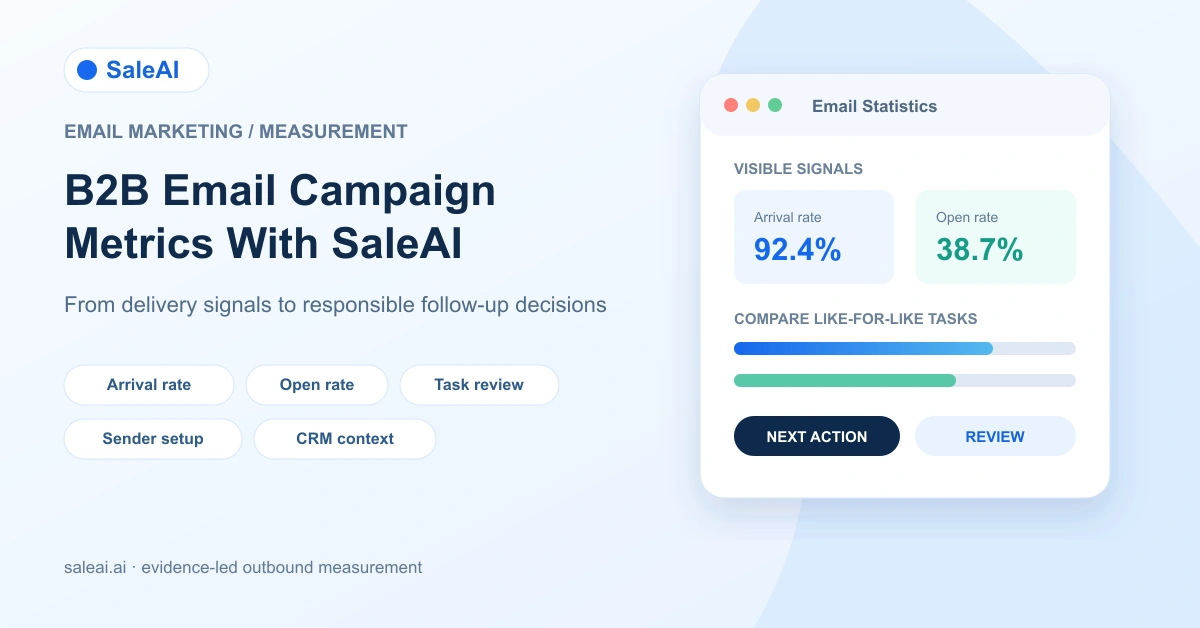
SaleAI Email Marketing provides a visible workflow for creating email tasks, managing templates, configuring a domain and sender identity, and reviewing basic statistics. A read-only inspection of the logged-in backend on August 12-14, 2026 showed arrival rate, open rate, total emails, delivered emails, opened emails, and time-based trend views. It did not show click, reply, unsubscribe, or bounce-rate fields. This guide explains how to use the available signals without presenting missing instrumentation as a built-in feature.
1. Start with the decision each metric should support
Do not begin by collecting every number in the dashboard. Begin with the decision the team needs to make:
- Can this sender and domain deliver consistently enough for a controlled pilot?
- Did the intended audience receive the message?
- Did the subject and opening earn enough attention to justify a content review?
- Is a weak result caused by the list, sender identity, message, timing, or offer?
- What should change before the next task is scheduled?
This is the difference between B2B email marketing metrics and dashboard decoration. A number is useful when it narrows the next experiment. A number is misleading when it is treated as a universal quality score.
2. What SaleAI Email Marketing actually contains
The verified SaleAI backend workflow places Email Marketing under Customer Management. The inspected area contained six distinct workspaces:
| SaleAI area | What was visible | Practical job |
|---|---|---|
| Task Management | Task name, status, sender nickname, creation time, and execution time | Find, filter, and review email tasks |
| New Task | Timing, domain service, sender, reply email, recipients, and content | Configure an immediate or scheduled send |
| Email Templates | Template name, subject, rich text, AI drafting, and signature | Create reusable message assets |
| Email Domain Service | Domain, verification status, and creation time | Add and check sending domains |
| Sending Settings | Company details, reply email, signature, social links, and HTML | Keep sender identity and footer information consistent |
| Email Statistics | Arrival rate, open rate, total emails, delivered emails, opened emails, and trends | Review the visible performance signals |
This separation matters. A template can be ready while the sender domain is not. A task can be scheduled while the recipient list needs review. A delivered message can be counted while its content is still unsuitable for the audience.
3. Define the visible metrics precisely
The first step in reading a B2B email campaign metrics report is to use the same definitions every time. The table below describes how the inspected fields should be interpreted operationally, not as a guarantee about the underlying provider's exact event logic.
| Visible field | What it can tell the team | What it cannot establish alone | First follow-up |
|---|---|---|---|
| Total emails | Intended send volume for the selected task or period | That every message was accepted or appropriate | Reconcile with the recipient list and task scope |
| Delivered emails | Messages counted as delivered by the system | That a person saw, trusted, or acted on them | Check recipient relevance and sender/domain setup |
| Arrival rate | Share of the task represented as arriving under the platform's metric | That inbox placement, human attention, or permission was achieved | Compare by domain, task, and list source where available |
| Opened emails | Count of tracked opens in the selected task or period | Unique human readers, buying intent, or reply likelihood | Review subject, audience fit, and measurement limitations |
| Open rate | Opened count relative to the reporting denominator | Message value, click activity, or commercial interest | Compare like-for-like tasks and inspect content changes |
| Time trend | Change in visible signals across a week, month, or year view | The cause of a change without campaign context | Annotate template, sender, audience, and timing changes |
The exact denominator and event processing rules should be confirmed in the product walkthrough or account documentation before a team makes a hard benchmark. Keep that limitation in the report rather than inventing a precision the UI does not provide.
4. Use arrival rate as a delivery gate, not a success verdict
Email arrival rate is most useful as a first gate. If it falls sharply, investigate sender identity, domain verification, recipient quality, message format, or a change in sending volume before judging the offer.
Compare like with like:
- The same sender and domain across two tasks.
- Similar recipient segments and countries.
- Similar message type, language, and volume.
- The same reporting window and denominator.
Avoid comparing a small, carefully reviewed distributor list with a broad discovery list and calling the difference a copywriting result. The denominator carries commercial meaning.
Google's Gmail Email sender guidelines recommend sender authentication, valid DNS records, TLS, accurate message formatting, and low spam rates for mail sent to personal Gmail accounts. These are external deliverability requirements, not SaleAI feature claims. SaleAI's Email Domain Service and Sending Settings can help organize the sender setup, but the team remains responsible for domain authentication and market-specific checks.
5. Read open rate as a directional content signal
Email open rate can help a team compare subject lines, language, timing, and audience fit. It should be treated as directional rather than as proof that a prospect is interested.
Open measurement can be affected by mailbox privacy tools, image loading, security scanners, multiple recipients, and forwarding. The inspected SaleAI interface showed opened emails and open rate, but no visible unique-open definition, click metric, reply metric, or unsubscribe metric.
Use a cautious comparison sentence:
The Spanish distributor segment opened more messages than the previous like-for-like task after the subject and send time changed; this supports a content or timing hypothesis, not a claim of purchase intent.
That sentence is more useful than “the campaign worked.” It records the change, the comparison, and the limit of the evidence.
6. Build a small reporting denominator
Before reading B2B email campaign metrics, create a task record with the fields that explain the experiment. Good email campaign reporting starts with a stable denominator, not a screenshot copied from an email marketing dashboard without context:
- Task name and objective.
- Sender nickname, domain, and reply email.
- Country, language, account type, and recipient source.
- Number of recipients intended and any exclusions.
- Template version and subject line.
- Creation time, planned execution time, and actual execution time.
- Offer, call to action, and expected next action.
- Review owner and decision date.
The visible Task Management area stores task identity, status, sender nickname, and timing. The remaining experiment context should be kept in the team's campaign log or CRM fields so that a later comparison is not reduced to two percentages.
7. Prepare the sender domain before the first comparison
Domain preparation is part of measurement quality. If the sender identity changes between tasks, the team cannot tell whether a result came from the message or the sending setup. Treat the following as an email deliverability checklist and record the sender domain setup used for each task.
Use a pre-send gate:
- Confirm the selected domain appears in Email Domain Service with the expected verification status.
- Confirm the sender nickname, company details, reply email, signature, social links, and HTML in Sending Settings.
- Send a small internal test to check the visible From identity, reply route, links, formatting, and footer.
- Record the domain and sender version in the task log.
- Start with a controlled audience and review the resulting delivery signals before increasing scope.
Do not describe domain verification inside SaleAI as proof of inbox placement. It is a setup condition, not a deliverability guarantee.
8. Treat templates as testable assets
Email Templates contains reusable content and AI drafting controls for subjects and bodies. Those controls can reduce drafting time, but they do not validate a product claim, select the right recipient, or prove that a personalization statement is true.
For each template version, keep a short change log:
| Template element | Testable change | Review question |
|---|---|---|
| Subject | Product category, market, or problem angle | Does it accurately describe the message? |
| Opening | Account-specific context or generic introduction | Is the basis for the context visible and current? |
| Proof | Certificate, product detail, or use case | Can the sender support the claim if asked? |
| Offer | Sample, quote, catalog, or call | Is the next step proportionate to the evidence? |
| Signature | Role, company, reply path, and links | Can the recipient identify and answer the sender? |
Change one major element at a time when the audience is small. Otherwise, a better B2B email performance result cannot be attributed to a specific improvement.
9. Connect reporting to CRM context without inflating it
The SaleAI CRM exposes contacts, companies, tags, customer stage, owner, last contact time, and related contact fields. These fields can add context to a task report:
- Which customer stage received the task?
- Which tags or product categories were included?
- Which owner approved the list?
- Was the contact already approached recently?
- Did the next action change after the task?
CRM context does not turn an open into a qualified opportunity. It helps the team explain the audience and the follow-up path. Keep campaign measurement separate from the broader B2B lead qualification workflow so a reporting number is not mistaken for a sales stage.
10. Use Task Management for a clean comparison calendar
Task Management is where the team can find and filter email tasks. Use it as the calendar for comparisons rather than relying on memory:
- Group tasks by market, language, sender domain, and template version.
- Use a consistent naming pattern such as
market_segment_offer_month. - Record whether a task was immediate or scheduled.
- Keep the execution time separate from the creation time.
- Mark the review date after the visible statistics are available.
- Do not combine a new audience, new sender, new domain, and new template in one test unless the purpose is a broad pilot.
The SaleAI Automation Center can be relevant when a team later schedules repeatable workflows, but this article does not infer that Email Marketing tasks automatically create, retry, or optimize themselves through Automation Center. Confirm the exact workflow behavior before describing an integration.
11. Know which metrics are missing from the inspected interface
The following were not visible in the inspected Email Statistics area:
- Click-through rate.
- Reply rate.
- Bounce rate.
- Unsubscribe rate.
- Complaint or spam rate.
- Unique-open definition.
- Revenue or opportunity attribution.
These omissions do not make the visible report useless. They define what the team must measure elsewhere or ask about during evaluation. Add a separate CRM or sales-operations record for replies, meetings, quote requests, opportunities, opt-outs, and complaints. Never label an opened message as a response or a lead.
This distinction is central to outbound email measurement. Delivery and opens describe parts of the message path. They do not describe the complete buyer journey.
12. Create a decision matrix for common patterns
Use patterns, not one isolated number, to decide what to change. The goal of B2B email campaign metrics is to isolate a testable cause before changing the entire outbound process.
| Observed pattern | Plausible causes | Next action |
|---|---|---|
| Low arrival and low opens | Domain, recipient quality, sender identity, or formatting problem | Pause expansion; check domain, list, and test delivery |
| High arrival and low opens | Subject, timing, language, audience fit, or tracking limitation | Run a like-for-like subject or timing test |
| High opens and few replies | Offer, proof, CTA, relevance, or reply path problem | Review message and recipient role; do not claim intent |
| Stable opens with worsening sales outcomes | Audience saturation, poor fit, weak follow-up, or attribution gap | Review CRM stages and downstream actions |
| Different results by domain | Sender reputation, filtering, audience mix, or domain policy | Compare domains and authentication conditions |
| One unusually strong task | Small sample, unusual segment, or external event | Repeat before changing the standard template |
The matrix is an editorial operating framework, not a SaleAI alert rule. It keeps the team from automatically increasing volume after a strong open rate or rewriting the offer after one weak task.
13. Run a 14-day B2B email measurement pilot
| Period | Action | Output |
|---|---|---|
| Days 1-2 | Select one market, one sender domain, and one account segment | Pilot scope and exclusion rules |
| Days 3-4 | Verify Email Domain Service and Sending Settings | Sender readiness record |
| Days 5-6 | Create two template versions with one controlled difference | Template change log |
| Days 7-9 | Run small, like-for-like tasks in Task Management | Task IDs, timing, recipient counts |
| Days 10-11 | Review arrival rate, delivered emails, opened emails, and open rate | Comparison table with denominator |
| Days 12-13 | Add replies, opt-outs, meetings, or other downstream outcomes from CRM or sales records | Outcome supplement |
| Day 14 | Decide continue, revise, hold, or stop | Documented decision and owner |
At the end of the pilot, write one paragraph that states what changed, what the visible SaleAI metrics show, what remains unknown, and what the next test will isolate. That paragraph is more reusable than a screenshot of the dashboard. It also makes B2B email campaign metrics easier to compare across markets without pretending that every result has the same denominator.
Keep that paragraph beside the task record so the next B2B email campaign metrics review starts with the same scope, sender, audience, and date window.
For US commercial email, the FTC CAN-SPAM compliance guide explains requirements including accurate header information, non-deceptive subject lines, a physical postal address, and a clear opt-out method. Google's sender guidelines add technical and reputation requirements for mail sent to personal Gmail accounts. Teams should review the rules that apply to each market and recipient category before activation.
The purpose of B2B email campaign metrics is not to make a campaign look successful. It is to help the team distinguish a delivery problem from an audience problem, a content problem, and a measurement problem. Teams can review SaleAI Email Marketing, explore SaleAI pricing, and request a walkthrough focused on domain setup, sender controls, task reporting, and the additional outcome fields they need.
FAQ
Which B2B email campaign metrics does SaleAI show?
The inspected Email Statistics area showed arrival rate, open rate, total emails, delivered emails, opened emails, and weekly, monthly, or yearly trend views.
Does SaleAI show click rate and reply rate?
Those fields were not visible during the read-only inspection. Do not claim that clicks, replies, bounces, or unsubscribes are current built-in Email Statistics metrics without confirming the live account.
What does email arrival rate mean?
It is a platform-reported delivery signal for the selected task or period. Confirm the denominator and event definition before comparing it across systems or treating it as inbox placement.
Is open rate a reliable buying signal?
No. Open rate is a directional signal that may help compare subjects, timing, and audience fit. It does not prove human attention, buying intent, or a future reply.
How should I compare two B2B email campaigns?
Keep the sender, domain, audience type, language, message purpose, volume, and reporting window comparable. Record the one major change you intend to test.
What should I check before scheduling an email task?
Check the verified domain, sender nickname, reply email, company details, signature, recipient list, template claims, timing, exclusions, and applicable market rules.
Can Email Templates automatically improve campaign performance?
Templates and AI drafting can speed content preparation, but they do not prove recipient relevance, factual accuracy, deliverability, or a commercial outcome.
Why can a campaign have high delivery but few replies?
The list may be poorly matched, the message may lack a relevant offer, the recipient may not own the decision, the reply path may be unclear, or downstream replies may not be recorded in the same report.
Does domain verification guarantee inbox placement?
No. It is a setup check. Authentication, DNS, sending practices, message quality, recipient expectations, reputation, and market rules also affect delivery.
What is the best first email measurement pilot?
Use one market, one verified sender domain, one audience segment, and two templates with one controlled difference. Review delivery and open signals, then add CRM or sales outcomes before scaling.
