


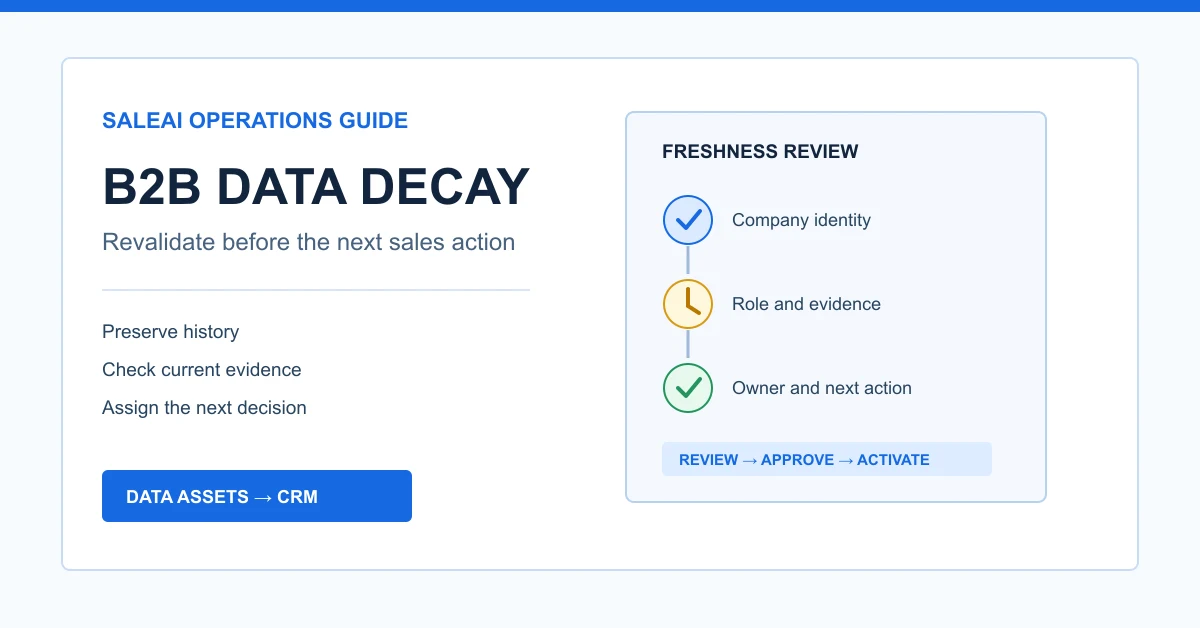
B2B data decay occurs when a prospect record remains available but the facts needed for a sales decision are no longer dependable. A company may still exist while its domain redirects, an employee changes roles, a generic inbox stops accepting mail, a distributor changes product focus, or the evidence that justified outreach becomes too old for the intended use.
The practical response is not to delete every old record or rerun every search on a fixed schedule. It is to separate durable facts from volatile facts, define triggers for revalidation, preserve the previous evidence, and require a fresh decision before an older record returns to CRM or email activity.
SaleAI provides a useful operating chain for this work: Data Assets retains research outputs, company and people searches can supply new evidence, CRM holds ownership and stage, and Email Marketing records activation outcomes. The quality of the process still depends on the team's review rules.
1. What B2B data decay changes
Data does not become wrong all at once. Different fields age at different speeds and carry different consequences.
A legal company name may remain stable for years. A job title, mailbox, product line, or assigned salesperson can change quickly. Customs evidence may accurately describe a historical transaction while no longer supporting a claim about current demand. A LinkedIn-oriented result can show that someone held a role at collection time without proving that the role is current today.
A useful freshness review should answer:
- Which fact is being used for the next decision?
- When and where was that fact observed?
- Has a change signal appeared since collection?
- What level of rechecking is proportionate to the action?
- Who approved the record for its next use?
This makes B2B data decay a decision-quality problem, not merely a database-cleaning problem.
2. Separate durable, contextual, and volatile fields
One universal expiration date is too crude. Classify fields by how they behave.
| Field class | Examples | Revalidation approach |
|---|---|---|
| Durable identity | Legal name, established domain, headquarters country | Recheck when identity conflicts, the domain fails, or ownership changes |
| Contextual evidence | Product pages, trade activity, market coverage, distributor status | Recheck before making a current commercial claim |
| Volatile contact data | Employee role, business email, phone, social profile | Recheck close to outreach or after any delivery or role-change signal |
| Operational state | CRM owner, customer stage, next action, suppression status | Review whenever the record changes hands or re-enters a campaign |
The classification prevents two opposite errors. Teams should not treat a historical shipment as false simply because it is old. They should also not treat an old job title as current merely because the page remains in a saved dataset.
3. Use events, not only calendar age, as revalidation triggers
Age is useful, but events often provide a stronger reason to review a record. Define triggers before building a schedule.
| Trigger | What may have changed | Required check |
|---|---|---|
| Email hard failure or repeated delivery issue | Mailbox, domain, or sending eligibility | Stop activation, verify the domain and contact path, record the outcome |
| Employee role conflict | Employer, title, authority, or team structure | Recheck the person and company context |
| Website redirect or unavailable domain | Company identity, acquisition, closure, or technical status | Resolve the current business domain before outreach |
| New customs or market search | Trade activity, counterparties, route, or category relevance | Compare new evidence with the earlier research period |
| CRM owner or territory change | Accountability and follow-up timing | Reassign explicitly and set a dated next action |
| Record reused for a new product or market | Relevance, buyer role, and messaging basis | Requalify for the new purpose instead of inheriting the old approval |
A calendar review can catch quiet changes. Event triggers catch changes at the moment they matter. Most teams need both to manage B2B data decay without rechecking every field before every internal use.
4. Do not overwrite the historical observation
When new evidence appears, keep the old observation and add the new one. Overwriting destroys the sequence needed to understand what changed.
For each reviewed field, retain:
- The previous value and observation date.
- The source or task that produced it.
- The new value and verification date.
- The reviewer and review outcome.
- The sales decision affected by the change.
For example, "Purchasing Manager at Company A, observed in March" can remain a valid historical note even if August research shows the person at Company B. The current contact path changes; the earlier observation does not need to be rewritten as though it never existed.
This history is especially important when several team members work the same account. It explains why an earlier message was reasonable and why the next action must differ.
5. Start the review from SaleAI Data Assets
SaleAI Data Assets keeps conversation-generated search data operable after the source conversation is deleted. An asset can expose its title, source, record count, CRM-processed count, available-email count, status, source conversation, and creation time.
Those fields provide the starting context for a freshness audit. Search for assets by title or keyword, then identify datasets that are being reused, have already sent records into CRM, or were created under assumptions that no longer match the current campaign.
Create a review queue rather than editing the whole asset at once. Prioritize records that:
- Are scheduled for near-term outreach.
- Have an unresolved identity or domain conflict.
- Depend on a person's current role.
- Were collected for a different product, territory, or buyer definition.
- Have already produced a delivery or qualification problem.
The asset remains the research inventory. Only reviewed records should return to activation.
6. Revalidate the company before the person
Contact verification is wasted effort if the underlying company is wrong, inactive, duplicated, or outside the target market.
Use Automated Business Data, Automated Social Data, Google-oriented company research, Customs Data, or SaleAI Copilot according to the question. Recheck the company name, active domain, product or application relevance, geographic fit, and the evidence that supports its buyer or distributor role.
The sequence should be:
- Resolve the company identity and canonical domain.
- Confirm that the account still fits the product and market definition.
- Compare current evidence with the saved research context.
- Merge duplicate company records without discarding their evidence histories.
- Decide whether employee research is still justified.
This company-first order reduces duplicate contact research and prevents a valid person from being attached to the wrong commercial entity.
7. Recheck people and roles with a narrow question
SaleAI LinkedIn Data can search people, companies, employees, or domain-oriented professional information. Use the mode that matches the uncertainty.
If the company is known but the buying function is unclear, employee research is more focused than a broad people search. If a saved contact appears to have changed companies, verify the current employer and then decide whether the person, the original account, or both remain relevant.
Record role evidence as a hypothesis, not a declaration of authority. A title such as procurement manager, technical sales director, or product manager does not prove involvement in a specific purchase. The revalidation result can be:
- Current role confirmed; keep the contact path.
- Current employer confirmed; buying relevance still unresolved.
- Role changed; find the new stakeholder at the account.
- Employer changed; separate the person from the original company record.
- Evidence conflicts; pause outreach and request human review.
This is where B2B data decay becomes visible at the person level.
8. Write the review result into CRM ownership
SaleAI CRM Management separates contacts, companies, and tags. Visible fields can include owner, company, email, phone, social media, customer stage, tags, and last contact time.
After revalidation, update the operational decision, not only the contact field. A reviewed record should have:
- A named owner.
- A current stage or review status.
- The latest verification date.
- A concise reason for approval, pause, suppression, or rejection.
- A dated next action.
Use tags for stable classifications such as market, segment, source family, or review state. Do not create a separate tag for every date or search phrase. Detailed evidence belongs in the asset title, notes, or structured review fields.
A record with a new email but no owner is still operationally stale. A record with an owner but unresolved identity should not be advanced merely to keep the pipeline moving.
9. Apply an outreach-readiness gate
Before an older record enters SaleAI Email Marketing, require a short gate. The current email module separates task management, new tasks, templates, domain service, sending settings, and statistics.
| Gate question | Pass condition | If it fails |
|---|---|---|
| Is the company identity resolved? | Name and active domain are consistent | Return to company research |
| Is the audience relevant to this offer? | Product, market, and buyer role still fit | Requalify or reject |
| Is the contact path current enough? | Business route was recently verified for this use | Recheck or use a safer contact route |
| Is outreach permitted and appropriate? | Applicable rules, objections, and suppression records are respected | Suppress and document |
| Are sender and reply settings ready? | Verified sending configuration and monitored reply route | Pause the task |
| Is ownership clear? | A person can handle replies and update CRM | Assign before activation |
Passing the gate does not guarantee delivery or interest. It means the team has enough current context to make a responsible activation decision.
10. Measure revalidation as a funnel
Do not report only how many records were "cleaned." Measure what happened to the review queue.
Track these counts by asset or cohort:
- Records selected for review.
- Company identities confirmed, merged, or rejected.
- Roles confirmed, changed, or unresolved.
- Contact paths retained, replaced, or suppressed.
- Records approved for CRM or outreach.
- Records assigned to an owner with a next action.
Then connect activation outcomes back to the reviewed cohort. SaleAI Email Statistics can show delivery-oriented counts, arrival rate, open rate, delivered emails, opened emails, and time-based trends. Treat those as message events, not proof that the underlying account is qualified.
The useful question is not "Did cleaning increase opens?" It is "Did the review prevent avoidable activation while preserving accounts with defensible current evidence?"
11. Set a risk-based review policy
A risk-based policy defines review depth by the decision being made.
Low-consequence use: market sizing, historical analysis, or internal research may use older evidence if the date and limitations remain visible.
Medium-consequence use: CRM reassignment or account prioritization should confirm company identity, relevance, and ownership.
Higher-consequence use: personal outreach, large email activation, or a claim about current buying activity should use more recent, source-appropriate verification and applicable compliance checks.
The ICO accuracy principle states that organizations should take reasonable steps to ensure personal data accuracy, keep source and status clear, consider challenges, and assess whether periodic updates are necessary. Requirements vary by jurisdiction and use, so obtain appropriate legal guidance.
For Gmail delivery, review the current Google email sender guidelines before activation. Data freshness cannot compensate for missing authentication, misleading sender identity, poor complaint control, or other sending failures.
12. Worked example: reactivating an old distributor list
Consider a hypothetical industrial pump manufacturer with a ten-month-old Data Asset containing distributors in the Gulf region.
The team plans a campaign for a new chemical-processing pump line. Instead of sending to the saved list, it creates a revalidation queue for the 40 accounts assigned to the campaign.
Company checks show that 31 domains remain consistent, four redirect to new corporate domains, three companies no longer show the relevant industrial category, and two identities require manual review. Employee research then checks purchasing, product, and technical-sales roles only for the 35 accounts that remain plausible.
The team preserves the old values, adds the August observations, merges duplicate domains, updates CRM ownership, and suppresses unresolved contact routes. The approved audience is smaller than the original list, but every included record has a visible reason for use and a person responsible for replies.
The example does not claim that revalidation guarantees performance. It shows how B2B data decay can be converted into explicit review decisions before outreach.
13. A 12-step lead revalidation workflow
- Select the Data Asset or CRM cohort intended for reuse.
- Define the new product, market, audience, and action.
- Classify the fields as durable, contextual, volatile, or operational.
- Identify age-based and event-based review triggers.
- Resolve company identity and canonical domain first.
- Recheck product, market, and buyer-role relevance.
- Compare new evidence with the saved historical observation.
- Research people only for accounts that remain qualified.
- Preserve changes instead of overwriting the old evidence.
- Update CRM owner, stage, review reason, and next action.
- Apply the outreach-readiness gate and suppression controls.
- Measure review outcomes and activation events by cohort.
SaleAI connects the research, saved-data, CRM, and email surfaces required for this workflow. The operating discipline is to make freshness visible at the moment a decision is made. When that happens, B2B data decay becomes manageable rather than invisible.
FAQ
What is B2B data decay?
It is the loss of decision reliability that occurs when company, contact, market, ownership, or outreach information changes after a record is collected.
Is old B2B data always inaccurate?
No. Historical evidence can remain accurate for the period it describes. The problem arises when a team uses it as proof of a current fact without appropriate rechecking.
How often should B2B leads be revalidated?
Use a combination of calendar reviews and event triggers. The interval should reflect field volatility, the consequence of the action, the source, and applicable requirements.
Which field should be checked first?
Start with company identity and the canonical domain. Contact verification is inefficient if the underlying account is duplicated, inactive, or irrelevant.
Should a changed value overwrite the old value?
Preserve the historical observation, its date, and its source. Add the current value and review outcome so the team can understand what changed.
What can remain in SaleAI Data Assets?
Keep research datasets and their source context, including title, source, record counts, status, source conversation, and creation time. Use a review queue for records being reactivated.
When should a revalidated record enter SaleAI CRM?
Move or retain it when identity and relevance are defensible and the record has a named owner, current status, review reason, and dated next action.
Does a valid email mean a lead is ready for outreach?
No. Email availability does not establish company fit, role relevance, permission, sender readiness, or message appropriateness.
How should role changes be handled?
Update the person's current employer and role evidence, detach incorrect company relationships, and find a new stakeholder at the original account when needed.
What is the best metric for a revalidation project?
Start with the disposition of the review queue: confirmed, merged, changed, unresolved, suppressed, rejected, and approved. Then connect approved cohorts to CRM and message outcomes.
