


SaleAI buyer research works best when the question comes before the search box. "Find buyers in Germany" is too broad to determine whether a shipment record, a company page, a map listing, or a professional profile is the right evidence. A better question is specific: Which German distributors have handled products in this HS family, have a current website, and show a relevant purchasing role?
The live SaleAI workspace exposes separate routes for Customs Data, Linkedin Data, Automated Business Data, Automated Social Media Data, CRM Management, and Customer Settings. Each route answers a different kind of question. This guide turns those visible functions into a reviewable decision path. It does not treat a search result as a qualified opportunity, or claim that the platform automatically verifies every record.
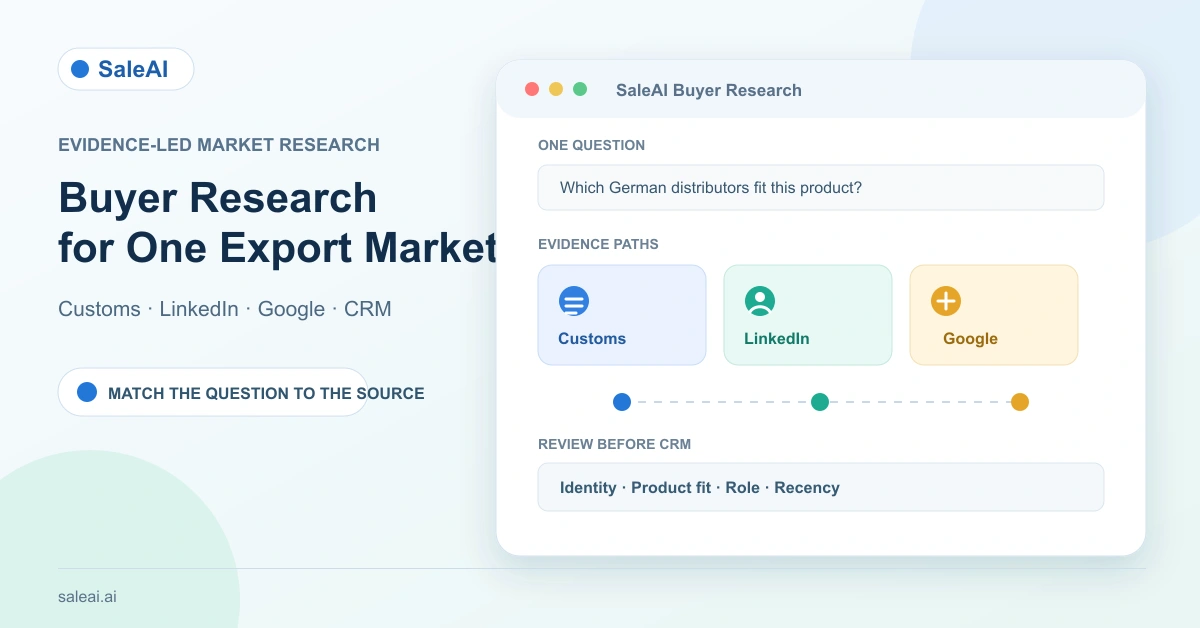
1. Write the buyer question before selecting a module
Start with the decision that must be made in the next seven days. Most export-market questions fall into five types:
| Buyer question | Evidence that can help | What still needs review |
|---|---|---|
| Who has actually imported this product family? | Customs transactions and counterparties | Current activity, role, and contactability |
| Which companies look like the right account type? | Company, domain, and Google research | Product fit and buying authority |
| Who might own the category? | People and employee searches | Current job, influence, and permission to contact |
| Which local firms are visible in a target city? | Google Maps and social discovery | Whether the listing is active and a real buyer |
| Which records are ready for follow-up? | CRM fields, owner, stage, and last contact | Human approval and outreach rules |
This is the first control in SaleAI buyer research: source selection follows the evidence gap, not the largest result count.
2. Separate discovery, validation, and activation
Use three gates so a broad list does not become an accidental campaign:
- Discovery: collect possible companies, people, domains, or trade counterparties.
- Validation: compare identity, source, geography, product relevance, role, and recency.
- Activation: assign the selected record in CRM or prepare a reviewed email task.
SaleAI makes these gates visible through separate modules. Automated Business Data and Automated Social Media Data provide task-based collection and marketing modes. Customs Data provides transaction, buyer, supplier, and trend views. CRM Management provides ownership and stage fields. Email Marketing has its own sender, domain, template, and statistics controls. The separation is useful because no single source proves fit, authority, intent, and permission at the same time.
3. Put stable company context in Customer Settings
Before comparing results, open Customer Settings and record the facts that should shape every search: company and website, product, HS code, product description, preferred markets, customer types, preferred channels or products, and default email language and tone. These fields are visible in the live account and give Copilot a stable starting point.
Use Read Memory only when saved context is appropriate for the current question. Allow Learning is a separate control for whether the conversation may contribute to reusable memory. Neither toggle is a substitute for reviewing a data record. For a new product or temporary campaign, state the temporary assumption in the prompt rather than quietly changing the permanent profile.
4. When the question is shipment history, begin with Customs Data
SaleAI Customs Data has four visible modes: Transaction Information, Find Buyers, Find Suppliers, and Trade Trend Analysis. The main input is a product description, with advanced filters for dates, source, carrier, brand, buyer and supplier fields, HS code, ports, bills, container and vessel details, origin, destination, quantity, amount, weight, and TEU ranges.
Choose the mode by the question:
| Customs Data mode | Good starting question | Caution |
|---|---|---|
| Transaction Information | What shipments match this product and period? | A recorded transaction is not a current buying brief |
| Find Buyers | Which named buyers appear in the records? | Names can represent a group, broker, or old relationship |
| Find Suppliers | Who already supplies the category? | A supplier is not automatically a competitor or partner |
| Trade Trend Analysis | Is the market worth deeper research? | A trend does not identify the decision-maker |
The Harmonized System is an international classification framework, so HS code selection should be checked against the product description and destination rules. The World Customs Organization overview of the Harmonized System is a useful external reference; it does not validate an individual SaleAI record.
5. When the question is account identity, use company and domain evidence
For "Is this a real, relevant account?" combine SaleAI Linkedin Data with Google Data or domain research. The live Linkedin Data page exposes People, Companies, Employees, and Domain Data. Company search accepts a company, brand, website, or industry keyword. Domain Data opens company, employee, contact, and deeper business information around a website.
Google Data and Google Maps in Automated Social Media Data answer a different question: what is publicly visible on the web or in a local listing? A map profile can add a phone number, location, category, or opening status; it is not proof that the company imports your product. A domain page can show product language and market coverage; it is not proof that the person who answers the website controls purchasing.
Record the source, URL or identifier, date checked, and the fact that the source supports. That small evidence log keeps SaleAI buyer research auditable when a record is later assigned in CRM.
6. When the question is "who should I contact?", use role evidence
Use People or Employees only after the account itself passes a basic identity check. People search accepts a name, title, company, or LinkedIn keyword. Employee search starts from a company and can include a role filter. A title such as "procurement manager" is a useful hypothesis, not proof of current authority.
Review four details before activation:
- Does the person still appear connected to the company?
- Does the role match the product and buying motion?
- Is the region or language relevant to the account?
- Is there a legitimate, monitored route for a first conversation?
Do not describe Linkedin Data as a universal email verifier or automatic qualification engine. The practical value is role-oriented discovery that can be compared with company and trade evidence.
7. When the question is local presence, use Google Maps carefully
Google Maps is useful for a location-led hypothesis: a building-material distributor in a city, a machinery dealer near a port, or a service partner with local branches. Automated Social Media Data exposes Google Maps with match mode, geography, and search terms. Those fields help constrain a search that would otherwise be too broad.
Use a map result as a lead for validation. Check the official domain, product range, company name, contact route, and whether the listing appears current. Compare the listing with a company result in Linkedin Data where possible. A local listing can be excellent for finding an overlooked account while still being weak evidence of import volume or buying intent.
8. Use Automated Business Data when the same research must recur
Automated Business Data includes Recent Tasks, Historical Tasks, One-click Start, and New Task. The inspected setup lets users select enterprise data, customs data, or both, synchronize a shared keyword, add channel-specific keywords, and apply up to five data tags. It separates collection from marketing.
Choose this route when the process itself is repeatable: for example, review new counterparties for one product family each week, or collect accounts from a defined market before a monthly CRM review. Collection mode protects the validation gate. Marketing mode should come only after the audience, sender domain, reply path, and message have been reviewed.
9. Create a source-fit score instead of a single lead score
SaleAI does not need to invent one universal "lead quality" number for a team to compare evidence. Use a small source-fit score in a spreadsheet or CRM note:
| Dimension | 0 points | 1 point | 2 points |
|---|---|---|---|
| Identity | Name only | Company and partial match | Company, domain, and source agree |
| Product fit | No product clue | Broad category match | Specific product or HS evidence |
| Recency | Unknown | Older public signal | Current date or recent activity |
| Role | No person | Possible role | Current role matches the question |
| Contact path | None | Public route only | Monitored, appropriate route |
The score is a review aid, not a platform-generated qualification. A customs-heavy record may score high on product evidence and low on role evidence. A LinkedIn-heavy record may score high on role evidence and low on shipment evidence. That difference is exactly why source choice matters.
Keep the scoring note beside the source identifiers; a defensible SaleAI buyer research record should show both the evidence and the uncertainty that remains.
10. A worked example: industrial pumps in one market
Suppose an exporter wants five German distributor accounts for an industrial pump line. The question is not "find German leads." It is "find accounts with a plausible product fit, a named commercial role, and enough evidence for a careful first conversation."
Use this sequence:
- Add the product description and relevant HS code to Customer Settings; state Germany and distributor as the target context.
- In Customs Data, use Find Buyers and a recent date range to create a small list of counterparties.
- In Linkedin Data, use Companies and Employees to check account identity and find a possible purchasing or product role.
- In Google Data or Google Maps, verify the public domain, location, product language, and local presence.
- Add only reviewed accounts to CRM Management; set owner, customer stage, tags, and last-contact context.
- Keep the first outreach as a reviewed Email Marketing task with a clear sender, reply email, and proportional call to action.
This path uses three evidence types without pretending they are interchangeable. It also leaves a visible reason for each CRM record to exist.
11. Compare sources with an evidence matrix
At the end of a research sprint, record the source contribution rather than the total number of results:
| Source path | Strongest evidence | Weakest assumption | Next review |
|---|---|---|---|
| Customs Data | Recorded trade relationship or category activity | That the activity is current and relevant | Date, product, and buyer identity |
| Linkedin Data | Company, employee, and role context | That the role has buying influence | Current employment and responsibility |
| Google Data | Public domain and product language | That public visibility equals demand | Official site and current contact route |
| Google Maps | Local presence and category clue | That the listing is active and a buyer | Listing freshness and account type |
| CRM Management | Owner, stage, tags, and contact history | That the record is already qualified | Human review and next action |
This matrix makes SaleAI buyer research easier to hand over. A colleague can see why a record was kept, what remains uncertain, and which source should be checked next.
12. Know what SaleAI automates and what it leaves to the team
The visible product supports task creation, source-specific searches, filters, CRM organization, scheduled automation monitoring, and email-task configuration. Automation Center shows Started Automations, Running Tasks, Enabled Scheduled Tasks, Pending Approval Tasks, Run Health, seven-day and 30-day views, and status filtering.
The audit did not verify universal automatic qualification, guaranteed lead accuracy, automatic CRM handoff from every source, automatic retries, or legal compliance. Trigger types and action libraries inside a newly created automation were not tested. Treat those as evaluation questions for a walkthrough, not as assumed features.
For a people-first content and research process, Google's helpful content guidance is a useful reminder to make the page answer the reader's real question. The same principle applies to sales research: keep the buyer question visible and document the evidence that answers it.
13. Move from research to a controlled CRM and outreach review
Finish with a small, reversible handoff:
- Export or retain the source identifier and date checked.
- Add the company or contact to CRM only after the identity and relevance review.
- Assign an owner, customer stage, tag, and next review date.
- If outreach is justified, verify Email Domain Service, Sending Settings, sender nickname, reply email, signature, and template claims.
- Start with a small task, then inspect arrival and open signals without calling them buying intent.
- Record replies, meetings, opt-outs, and commercial outcomes in the operating system used by the sales team.
The SaleAI CRM, Customs Data, Linkedin Data, and Automated Business Data pages provide the product context for this workflow. Teams can also compare it with the SaleAI backend feature review before choosing a pilot scope.
A practical 10-day market-evidence pilot
| Days | Work | Evidence to keep |
|---|---|---|
| 1 | Define one product, country, buyer type, and evidence gap | One-sentence buyer question |
| 2-3 | Run one Customs, LinkedIn, or Google path | Source IDs and search inputs |
| 4 | Cross-check identity and role | Domain, company, and date notes |
| 5 | Apply the source-fit score | Keep, hold, or reject reason |
| 6 | Add selected accounts to CRM | Owner, stage, tags, next action |
| 7-8 | Review a small, approved outreach task | Sender and template record |
| 9 | Add downstream outcomes | Replies, meetings, opt-outs, or unknown |
| 10 | Decide whether to repeat, change source, or stop | Written decision and owner |
The result should be a smaller list with clearer evidence, not a larger list with a more confident label. That is the practical standard for SaleAI buyer research.
For a controlled pilot, explore SaleAI and request a product walkthrough based on one real export-market question. Bring the product description, target geography, buyer type, and evidence gap so the team can review the source choice and the handoff rules together. A documented SaleAI buyer research brief makes that review concrete.
FAQ
Which SaleAI module should I use first for an export-market question?
Start with the evidence gap. Use Customs Data for shipment or counterparty questions, Linkedin Data for company and role research, Google Data or Google Maps for public and local-web clues, and CRM Management for review and ownership.
Is Customs Data enough to prove that a company is a current buyer?
No. A trade record can support product or counterparty evidence, but it does not prove current intent, buying authority, or a live project. Check date, product, company identity, and role separately.
What can Linkedin Data add to buyer research?
It provides People, Companies, Employees, and Domain Data search paths. These can add company, employee, role, and website context that a shipment record alone does not provide.
When is Google Maps useful?
Use it for a location-led hypothesis, such as distributors or service firms in a target city. Validate the listing against an official domain and account evidence before treating it as a prospect.
Can Automated Business Data send email automatically?
The inspected interface separates collection and marketing modes. Do not assume a collected record is emailed without a reviewed task, sender setup, audience decision, and applicable approvals.
Should every search result go into CRM Management?
No. Add records after identity, product relevance, role, source, and recency review. Then assign an owner, stage, tags, and a next action so the record remains accountable.
Does SaleAI provide one universal lead-quality score?
This workflow uses a human-defined source-fit score as a review aid. It is not presented as a built-in SaleAI qualification score or a guarantee of lead accuracy.
What does the Automation Center verify?
The visible dashboard shows started automations, running tasks, enabled schedules, pending approvals, run health, date views, status filters, and Create Automation. Trigger and retry behavior should be confirmed in the live account.
Can I compare customs, LinkedIn, and Google results by volume?
You can count results, but volume is not an evidence-quality comparison. Record what each source proves, what it leaves uncertain, and the next validation step.
What is a sensible first pilot for SaleAI buyer research?
Choose one product, one country, one buyer type, and one evidence gap. Run a small collection task, cross-check records, assign only reviewed accounts in CRM, and test a limited outreach task with outcomes recorded separately.
