


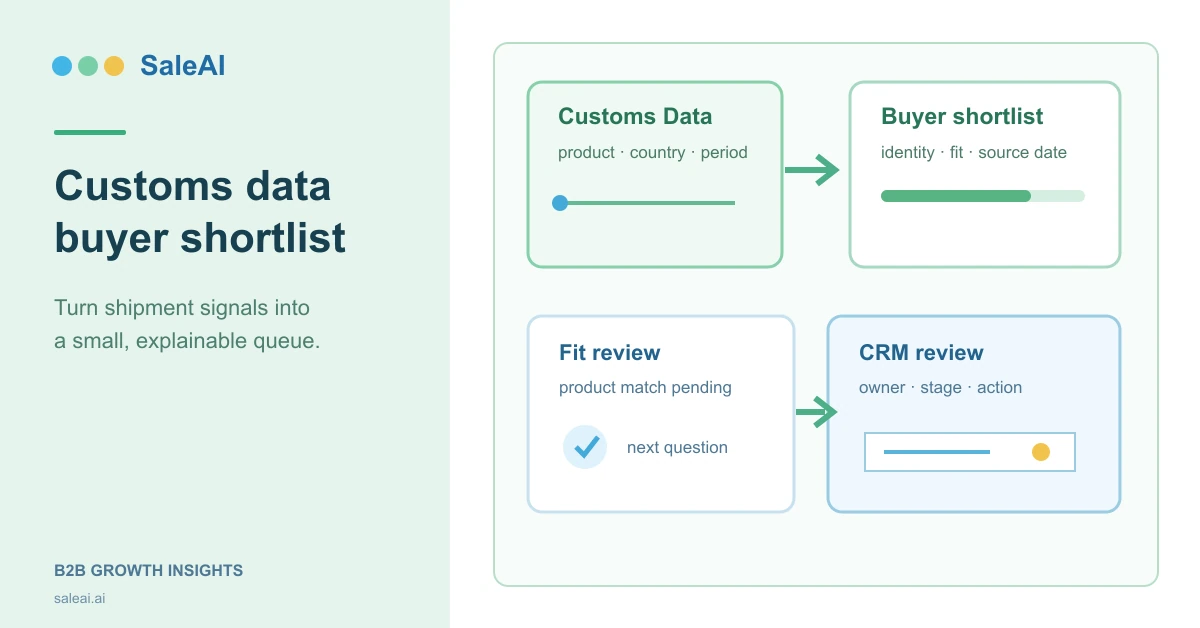
A customs data buyer shortlist should answer one operational question: which companies deserve a human review next, and why? A shipment record can reveal a product relationship, a route, or a recurring importer. It does not by itself prove that the company is buying now, that the record is complete, or that the right person can be contacted.
This guide shows how to use the Customs Data area in SaleAI as an evidence step. The workflow combines a narrow trade-data search with product-fit checks, Linkedin Data, optional Google Data, and deliberate CRM Management handoff. It reflects the modules visible in the SaleAI workspace reviewed during August 2026. It does not claim that SaleAI automatically deduplicates every result, confirms current buying authority, or turns each row into a qualified opportunity.
The first decision is smaller than “find buyers”
Start by writing the decision the research must support. A team may need to know whether to:
- keep an importer in a research queue;
- compare a company with an existing account;
- find a role connected to sourcing or distribution;
- test whether a product category is present in a target market;
- request a second source before outreach; or
- stop because the record cannot be explained.
That decision changes the fields you collect. If the next action is only market sizing, a country and HS-code view may be enough. If the next action is outreach, you also need a company identity, a product-fit note, a source date, an owner, and a clear unresolved question.
| Decision | Minimum evidence | Safe next action |
|---|---|---|
| Is the importer relevant to our product? | Product description, HS-code context, country, and importer name | Keep for product-fit review or hold |
| Is the company worth account research? | Importer identity plus a repeated or coherent trade signal | Search Companies or Domain Data |
| Is there a role worth checking? | Company match and a role hypothesis | Search People or Employees |
| Is it ready for CRM review? | Evidence note, source date, owner, stage, and next action | Submit a deliberate handoff |
The output is a small list with reasons, not a large export with no decision rule. This is the core of a useful customs data buyer shortlist.
What a trade record can and cannot tell you
Customs or shipment data is a record of reported trade activity. It may contain a buyer or importer name, a supplier or exporter, a product description, an HS code, a country, a date or period, and quantities or values depending on the source. Availability and granularity vary by market. A field that is visible in one country may be absent, delayed, aggregated, or protected in another.
The World Customs Organization describes the Harmonized System as a six-digit international product nomenclature used as a basis for customs tariffs and trade statistics. That makes the HS code a useful organizing key, but not a complete description of commercial fit. The WCO's HS overview is the right reference for classification context.
| Evidence in a record | Reasonable interpretation | Interpretation that still needs review |
|---|---|---|
| Importer name appears with a product description | The company is associated with a reported shipment | It is still a current buyer for your exact specification |
| Several records repeat over time | The relationship may be worth investigating | The next order is imminent or the volume is profitable |
| Supplier and destination pair is visible | There is a trade relationship in the source | The importer wants a new supplier |
| HS code is consistent | The records share a classification family | Every line is the same product or quality level |
| Quantity or value is shown | A scale signal is available for comparison | It is a reliable forecast of demand or budget |
This boundary keeps a customs data buyer shortlist honest. Treat every row as evidence with a date and source, not as a promise.
Build the shortlist around a candidate record
Before running a search, define the row that a reviewer will receive. A practical candidate record has four layers: identity, trade evidence, fit, and action.
| Layer | Fields to capture | Why it matters |
|---|---|---|
| Identity | Importer name, country, website or public profile, observed date | Prevents a company string from becoming an untraceable lead |
| Trade evidence | HS code, product wording, supplier or origin, period, record count if available | Shows exactly what the trade signal represents |
| Fit | Product match, market match, channel hypothesis, missing information | Separates a relevant signal from a convenient assumption |
| Action | SaleAI module used next, owner, stage, next question, review status | Makes the handoff reversible and accountable |
Do not use a single confidence number unless your team has defined how it is calculated. Labels such as observed, consistent, conflicting, and missing are easier to audit. If you do use a score for an internal pilot, state that it is your operating rule rather than a SaleAI feature.
A four-pass workflow in SaleAI
Pass 1: Set the product and market boundary
Write the product family in plain language and list the HS-code candidates that may represent it. Keep the country, destination, and time window narrow enough to review. HS codes should be checked against the relevant national tariff or classification guidance. Do not assume a six-digit code has identical detail in every national system.
Write two exclusions before searching. For example: exclude finished goods when you sell components, and exclude records outside the target destination. Exclusions reduce the temptation to keep every result that contains a familiar word.
Pass 2: Use Customs Data to collect evidence
Open Customs Data in SaleAI and run the smallest query that can answer the decision. Record the query terms, code or product phrase, destination, and date range in the research note. Review the returned importer names and product descriptions one row at a time.
For each candidate, capture the source row before interpreting it. If the interface provides an export or report action, retain the exported file or report reference with the review date. The visible module supports customs-data research, but the exact fields and availability depend on the selected market and data source. Do not promise a universal historical window or a live feed unless your account shows it.
Pass 3: Test identity and fit with a second route
Use the evidence gap to choose the next SaleAI route:
| Evidence gap | SaleAI route to consider | Question to ask |
|---|---|---|
| Company identity is unclear | Linkedin Data Companies or Domain Data |
Is this the same organization, brand, or a related entity? |
| A relevant stakeholder is needed | Linkedin Data People or Employees |
Is there a role hypothesis worth checking? |
| Local presence needs context | Google Data or Google Maps |
Does the public listing support the company and location? |
| Existing relationship may exist | CRM Management |
Is there already an owner, stage, tag, or contact history? |
| The same research task repeats | Automated Business Data |
Can the collection be bounded and reviewed consistently? |
This is an evidence stack, not an automatic sequence. The inspected workspace did not verify that every Customs Data result is automatically matched to LinkedIn, pushed to CRM, or qualified for outreach.
Pass 4: Assign a review status
Use four plain-language states:
- Found: a trade record or importer string was returned.
- Identity checked: the company relationship can be explained with a second source.
- Commercially relevant: product, market, or channel evidence supports more research.
- Ready for human CRM review: an owner, next question, and outreach decision are recorded.
The status can move backward. A later identity conflict should return a row to Found or Hold. This prevents the first interesting record from becoming a permanent qualification decision.
At this point, the customs data buyer shortlist should be short enough that a manager can explain every accepted row in one sentence. If the team cannot explain the evidence, reduce the list before adding another filter.
Compare shortlist lanes before you scale
Different research lanes have different evidence depth. The table below is a workflow comparison, not a product ranking.
| Shortlist lane | Best for | Strength | Main risk | Review depth |
|---|---|---|---|---|
| Customs-only | Market scan and early discovery | Quick view of product and destination signals | Thin company context | Light |
| Customs plus Companies | Name and organization review | Better identity context | Similar company names can still conflict | Medium |
| Customs plus People or Employees | Role hypothesis | Gives a next research direction | A listed role may be old or broad | Medium |
| Customs plus CRM | Existing account expansion | Preserves ownership and history | Requires disciplined handoff | High |
| Customs plus Google Data | Local presence check | Adds public location context | A listing does not prove buying intent | Medium |
Choose the lane based on the cost of a mistake. A new-market scan may stop after the first lane. A strategic account or regulated product should reach the deeper lanes before contact.
Product fit is a separate check
Do not let shipment activity substitute for fit. Add a short fit note with three explicit questions:
- Does the product description match what we actually sell?
- Does the destination and channel match our commercial plan?
- What evidence is missing before a salesperson can write a relevant message?
| Fit check | Good note | Weak note |
|---|---|---|
| Product | “Description mentions LED drivers; confirm wattage and certification need.” | “Looks relevant.” |
| Market | “Importer is in the target country; channel is not yet known.” | “Good market.” |
| Timing | “Records observed in the selected period; current need is unverified.” | “They must need supply.” |
| Role | “Search a sourcing or product role next.” | “Contact the buyer.” |
This wording makes it possible for another reviewer to pick up the row without guessing what the first researcher meant.
When a record conflicts with the company story
A false match is not only a spelling error. The importer may be a logistics intermediary, a holding company, a related brand, or a company that imports for another entity. Stop and record the conflict when:
- country, website, and company name cannot be reconciled;
- the product wording belongs to a different industry;
- a similarly named company appears in multiple countries;
- the record is old enough that the current owner is unknown; or
- a public page is parked, inaccessible, or unrelated.
Use Domain Data, Companies, or Google Data to investigate the gap, but do not silently replace the original importer name. A held row is better than a polished false positive.
CRM handoff fields that preserve the evidence
When a candidate is ready for human review, keep the handoff small and reproducible. The SaleAI CRM area can organize companies, contacts, owners, stages, tags, and history. The following fields are a recommended operating template, not a claim that every field is auto-filled.
| CRM handoff field | Example | Review question |
|---|---|---|
| Account name | Northwind Components | Does it match the reviewed company signal? |
| Source | Customs Data, query saved on 2026-09-21 | Can another person see why this row exists? |
| Trade evidence | HS family, destination, observed period | What exactly was observed? |
| Fit note | Product match pending specification check | What is still unknown? |
| Status | Ready for human CRM review | Has a person accepted ownership? |
| Next action | Check a sourcing role in People | Is the next action small and testable? |
For broader product and decision-maker research, SaleAI Enterprise Scope is a relevant product reference. The SaleAI buyer research guide explains how to choose an evidence source for a different question. For workflow boundaries, see the SaleAI backend workflow. These pages provide product context; your account configuration and review policy still control what should be saved.
If the same candidate-list task repeats, review the Automated Business Data product context before defining a bounded collection job. Repetition can be automated, but identity conflicts and fit decisions still need a review path.
A seven-day pilot with measurable outcomes
Start with 25 candidate rows for one product family and one destination. Do not start with every HS code or every market. One reviewer should run the workflow, and a second reviewer should check a sample of accepted and held rows. A customs data buyer shortlist is a process test here, not a volume contest.
| Day | Work | Output |
|---|---|---|
| 1 | Define product boundary, codes, exclusions, and stop rules | One-page review rule |
| 2 | Run Customs Data searches | Candidate rows with query notes |
| 3 | Write product-fit and identity notes | Observed versus inferred fields |
| 4 | Use a second SaleAI route for conflicts | Accepted, held, or rejected rows |
| 5 | Prepare CRM handoff fields | Owner, stage, and next action |
| 6 | Review corrections and time per row | Pilot measurement sheet |
| 7 | Decide whether to expand | Continue, revise, or stop |
Measure decision quality instead of raw result count:
- percentage of rows with an explainable company identity;
- percentage needing a second route;
- percentage held for unresolved conflict;
- median review time per row;
- percentage with an owner and next action; and
- corrections made after salesperson review.
These are internal operating metrics. They are not benchmark claims about SaleAI or the quality of any country's customs data.
Sources, limits, and responsible use
The WCO reference above explains why HS codes are useful, but it does not validate a particular company. UN Comtrade provides a public reference point for international trade statistics and definitions. For United States data questions, the U.S. Census International Trade API documents a separate official data interface. Those sources may use different coverage, timing, and field definitions than a commercial workflow.
Do not write that shipment history proves intent, authority, exclusivity, compliance, or permission to contact. Keep a source date, purpose, reviewer, and retention decision for any personal or company data your team stores. A customs data buyer shortlist is most valuable when it makes uncertainty visible and gives a person a small next question.
Before handoff, read the customs data buyer shortlist once as a salesperson: every row should state what was observed, what remains uncertain, and what to do next.
FAQ
What is a customs data buyer shortlist?
It is a small, reviewable list of importer or buyer candidates built from customs or shipment evidence, with product fit, identity notes, source dates, and a next action. It is not the same as a bulk lead export.
Can customs data prove that a company is buying now?
No. It records reported trade activity for a source and period. Current demand, buying authority, and timing require additional evidence and human review.
How many records should a first shortlist contain?
Twenty-five rows is a practical pilot size because a reviewer can inspect every decision. Increase the size only after the product boundary and stop rules work.
Should I search by product words or HS code?
Use both when the data source supports them. Product wording helps explain the row, while HS codes provide a classification structure. Verify the relevant national code guidance before treating a match as exact.
Which SaleAI module should I use after Customs Data?
Use Companies or Domain Data for identity, People or Employees for a role hypothesis, Google Data for public local context, and CRM Management for ownership and history. Choose the route that closes the current evidence gap.
Does SaleAI automatically deduplicate every importer?
That behavior was not verified in the inspected workspace. Keep the original name, country, and source date, and apply your own duplicate-review rule before merging records.
Can a shipment value be used as a sales forecast?
Not by itself. Value and quantity may be incomplete or differently defined across sources. Use them as comparison signals and document the source, period, and missing fields.
What should I do with a similar company name in another country?
Hold the row. Compare the website, address, product context, and public company signals. Keep both records until the relationship is explainable.
Does a Customs Data result belong in CRM immediately?
No. The result should move into CRM only after a person records the source, fit note, owner, stage, and next action. The inspected workflow did not prove an automatic handoff for every result.
Can I automate a repeated customs-data workflow?
You can evaluate Automated Business Data for bounded, repeatable collection, but automation does not remove review responsibility. Define the input, stop conditions, output fields, and exception path first.
