


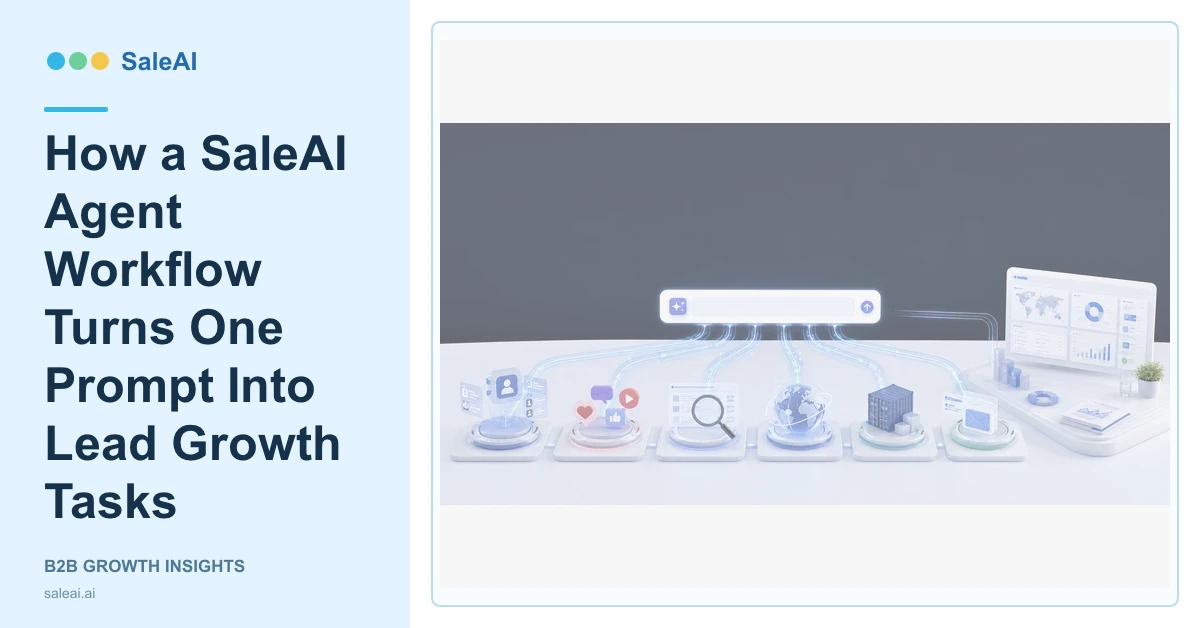
The prompt box on the SaleAI home screen is designed for an operating request, not only a writing request. A user can describe a product, market, or lead-growth task, attach supporting material, choose settings, and connect the work with LinkedIn, Facebook, Google, Instagram, customs data, or email marketing. A SaleAI Agent workflow then has a concrete business objective to organize.
That distinction matters. A conventional chatbot returns an answer. The SaleAI Agent is presented as an AI employee that can operate websites, extract information, publish, reply, follow up, and synchronize data. The useful result is therefore a sequence of reviewable tasks and saved outputs, not a long paragraph that disappears when the chat ends.
What one lead-growth prompt should contain
A useful request states the product, target market, company type, intended outcome, and any important exclusions. "Find buyers in Europe" is broad. "Research independent laboratory equipment distributors in Germany and Austria, exclude consumer retailers, and prepare a reviewed account list for email outreach" gives the system an operating boundary.
The file attachment can add specifications, product positioning, target-customer notes, or an existing account list. The attachment does not replace the request. It gives the SaleAI Agent workflow more context for deciding which facts matter.
| Prompt element | Useful detail | Why it matters |
|---|---|---|
| Product | Category, application, differentiator | Prevents irrelevant company matches |
| Market | Country, region, language | Narrows sources and communication context |
| Buyer | Importer, distributor, brand, manufacturer | Defines the company role to research |
| Output | Account list, report, outreach plan | Makes completion testable |
| Limits | Exclusions, approval points, time period | Prevents uncontrolled expansion |
How channels change the task
The channel buttons visible in SaleAI represent different evidence and actions. Google can support company discovery and website verification. LinkedIn can support company and professional research through Enterprise Scope. Customs Data can support trade-pattern research. Facebook and Instagram can support public social lead discovery through Automated Social Data. Email Smart Reach supports approved outreach.
Selecting every channel is not automatically better. A distributor search may begin with business and professional data, while an importer study may require customs records. The task should use the smallest evidence set that can answer the question.
Where the website-operating Agent fits
The official Agent page describes cross-website work such as logging in, clicking, publishing, extracting, optimizing, replying, following up, and synchronizing data. Those capabilities are useful when a lead-growth task crosses several pages or systems. For example, the workflow may inspect company websites, collect visible business facts, organize qualified companies, and return approved records to SaleAI CRM.
This does not remove review responsibility. External messages, live publishing, account changes, sensitive data, prices, and commitments need explicit controls. A sound SaleAI Agent workflow separates research steps from actions that affect customers or live systems.
A practical execution sequence
- Enter the growth request with a clear market, product, buyer role, and output.
- Attach only the context needed for the task.
- Choose the relevant data and outreach channels.
- Review the proposed sources, actions, and approval points.
- Inspect qualified records and uncertain results separately.
- Synchronize approved data with CRM, Data Assets, or the next campaign.
The NIST AI Risk Management Framework emphasizes governance and measurement, while the NIST Privacy Framework provides a structure for managing privacy risk. In practice, that means checking accuracy, source relevance, access, data use, and external side effects instead of judging the Agent only by speed.
When this workflow is a good fit
Use it when the task crosses several websites or data sources and has a defined business output. A simple factual question may not need a multi-step workflow, while buyer research, account-list preparation, campaign setup, or cross-system synchronization often does.
FAQ
What can a SaleAI Agent workflow start from?
It can start from a product, target market, buyer profile, lead-growth objective, or attached business brief.
Does one prompt automatically use every channel?
It should use only the channels relevant to the task. More sources can create more noise when the buyer definition is unclear.
Can the Agent operate websites?
The official product page describes website actions including navigation, extraction, publishing, replying, follow-up, and data synchronization.
Where should qualified results go?
Reviewed companies can move into CRM, Data Assets, an analysis report, or an approved outreach workflow.
What still requires human review?
Messages, claims, pricing, sensitive data, live publishing, account changes, and other consequential actions should have explicit approval rules.
