


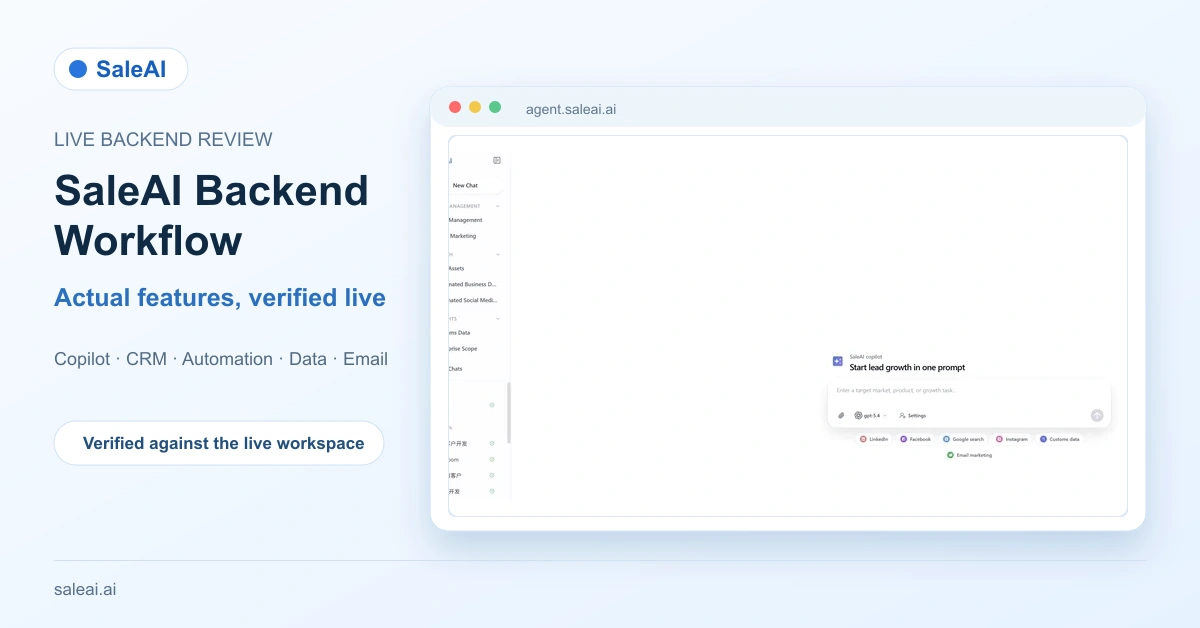
The SaleAI backend workflow gives B2B export teams one workspace for AI-assisted research, multi-source data collection, CRM organization, workflow monitoring, and email outreach. A live backend inspection shows that these functions are available as distinct modules with explicit controls. SaleAI should therefore be evaluated as a configurable operating system for lead growth, not as a black box that automatically moves every result from research to outreach.
This guide is based on a read-only inspection of the logged-in SaleAI workspace on August 12, 2026, supported by a detailed page audit recorded on August 3. No record, automation, campaign, setting, or message was created or changed. Current navigation and module names come from the live workspace; field-level details come from the earlier inspection where opening a new production task would otherwise have been required.
1. What is SaleAI, and what is it not?
SaleAI is a B2B lead-growth platform for teams that need to research markets, find companies and contacts, organize selected records, automate repeatable work, and prepare email outreach. The SaleAI backend workflow combines those stages while keeping their controls visible.
It is not one universal automation button. Users still choose the source, define search conditions, review results, decide which records belong in CRM, configure sender details, and monitor task status. That separation matters because a discovered company is not automatically a qualified opportunity, and a available email address is not automatically an appropriate recipient.
| Work area | Verified purpose | Main output |
|---|---|---|
| SaleAI Copilot | Start from a target customer, product, or growth task | Conversation results and research directions |
| Data and insight modules | Search business, social, customs, company, and professional data | Task results and reviewed lead records |
| CRM Management | Organize contacts, companies, owners, stages, and tags | Managed customer records |
| Automation Center | Design, schedule, monitor, and review unattended workflows | Runs, schedules, approvals, and health status |
| Email Marketing | Configure senders, templates, recipients, timing, and content | Email tasks and performance metrics |
The platform fits exporters, manufacturers, B2B sales-development teams, and marketing operations teams that need traceability across research and follow-up. It is less suitable for teams expecting every research result to become an approved sales lead without review.
2. SaleAI Copilot starts the workflow from one request
The most visible entry into the SaleAI backend workflow is New Chat. The composer asks for a target customer, product, or growth task. It includes an attachment control, Read Memory, Allow Learning, an OpenAI gpt-5.4 selector, Customer Settings, and a send action.
Quick channels are visible for LinkedIn, Facebook, Google Search, Instagram, Customs Data, and Email Marketing. These shortcuts help users declare the intended research or outreach context without first navigating through every sidebar module.
Read Memory and Allow Learning are separate controls. Read Memory determines whether saved context is brought into the current request. Allow Learning determines whether the conversation may contribute to reusable memory. Neither control should be described as an automatic approval to move every result into CRM.
Customer Settings is described in the live dialog as the place to maintain business information, lead-generation preferences, and outreach-email rules. A detailed inspection recorded company and website, product and HS code, product description, preferred markets, customer types, preferred channels or products, and default email language and tone.
3. The current sidebar defines three operating groups
The live sidebar makes the current product scope easy to verify:
- Customer Management: CRM Management, Enterprise Email, and Email Marketing.
- Data Growth: Automation Center, Automated Business Data, and Automated Social Media Data.
- Trade Insights: Customs Data and Linkedin Data.
- Conversation tools: New Chat, Search Chats, and history grouped by Today, Yesterday, Last 7 Days, Last 30 Days, and Earlier.
This navigation corrects two easy mistakes. Data Assets is not a current first-level sidebar module, and the /enterprise-scope/ route is presented to users as Linkedin Data in the live Chinese interface.
Together, these groups turn the SaleAI backend workflow into a navigable operating structure rather than a collection of hidden AI actions.
4. CRM Management separates contacts, companies, and tags
SaleAI CRM has three working areas: Contact Management, Company Management, and Tag Management.
Contact Management provides help, data import, data export, data assignment, column settings, and add-contact actions. Filtering includes group or preset filters, condition filters, and advanced filters. Visible record fields include owner, name, company, email, phone, social media, customer stage, tags, last contact time, and operations such as view, edit, and delete.
Company Management follows a similar pattern for account-level records. Separating a company from its contacts lets a team retain account context while multiple people enter, leave, or change roles. Tag Management adds reusable classifications with tag name, color, creation time, and edit or delete actions.
The operational value is ownership. A broad research result can remain a possible lead, while a reviewed record in CRM gains an owner, stage, tags, and a next-action context.
5. Enterprise Email and Email Marketing serve different roles
Enterprise Email is a separate live entry under Customer Management. Its detailed controls did not render during the read-only inspection, so no mailbox, account, or sending capability is inferred here.
SaleAI Email Marketing, by contrast, visibly contains six areas:
| Email area | Verified function | Key controls |
|---|---|---|
| Task Management | Find and manage email tasks | Task name, status, sender nickname, creation and execution time |
| New Task | Configure a send | Timing, domain service, sender, reply email, recipients, content |
| Email Templates | Prepare reusable content | Name, subject, rich text, AI drafting, signature |
| Email Domain Service | Add and verify domains | Domain, verification status, creation time |
| Sending Settings | Manage identity and signature | Company details, reply email, signature, social links, HTML |
| Email Statistics | Review basic results | Arrival rate, open rate, totals, delivered and opened emails |
Task Management supports name search and status filtering. New Task separates sender address from reply email and supports immediate or scheduled sending. Templates include AI drafting controls for subject and body, but those controls do not validate product claims or recipient relevance.
Email Statistics supports source and time filters plus weekly, monthly, and yearly trends. Open rate, arrival rate, email total, delivered emails, and opened emails were visible. Click, reply, unsubscribe, and bounce rates were not visible and should not be claimed as current built-in metrics.
Platform controls do not replace market-specific compliance review. The US Federal Trade Commission's CAN-SPAM guidance explains requirements for commercial email and recipients' right to stop messages. The UK Information Commissioner's Office B2B marketing guidance explains that electronic-marketing rules can vary by communication method and subscriber type. Teams should review the rules that apply to each target market, list source, and recipient category before activation.
6. Automation Center adds schedules, approvals, and run health
The SaleAI Automation Center is a current first-level Data Growth module. Its page describes the function as designing, scheduling, and monitoring unattended sales workflows.
The live dashboard shows Started Automations, Running Tasks, Enabled Scheduled Tasks, and Pending Approval Tasks. It also exposes Create Automation, Run Health, Last 7 Days and Last 30 Days views, an all-status filter, and the total number of automations.
This is direct evidence that the SaleAI backend workflow now includes execution monitoring and an approval queue. However, no automation was created during the inspection. Trigger types, action libraries, approval logic, and retry behavior therefore remain unverified and are not described as facts.
7. Automated Business Data supports collection or marketing
Automated Business Data provides Recent Tasks, Historical Tasks, One-click Start, and New Task. Users can select enterprise data, customs data, or both, synchronize a shared keyword, and add channel-specific keywords and up to five data tags.
The module separates automated collection from automated marketing. Customs-related filters observed in the task setup include buyer and supplier names and addresses, date range, source, HS code, origin, destination, quantity, amount, weight, and TEU. Exclusion controls can remove NVL or logistics names.
Marketing mode adds a time window, email exclusions or domain-suffix filtering, previous-marketing-count filters, task name, domain service, sender, reply email, content, and send quantity. The inspected interface showed a maximum of 3,000 sends for that task configuration; this is not presented as a universal plan limit.
8. Automated Social Media Data uses four source channels
Automated Social Media Data has the same collection-versus-marketing choice and the same Recent Tasks, Historical Tasks, One-click Start, and New Task pattern.
The four inspected channels are Instagram, Facebook, Google Data, and Google Maps. Instagram and Google Data accept keywords. Facebook adds a match mode. Google Maps combines match mode, geography, and search terms.
Source differences should remain visible during review. A social profile, a map listing, and a general search result do not provide the same evidence of company identity, buying role, or current commercial intent.
9. Customs Data supports transactions, partners, and trends
The Customs Data page describes global trade-record search for analysing buyers, suppliers, and trends. It provides four modes: Transaction Information, Find Buyers, Find Suppliers, and Trade Trend Analysis.
The main input is a product description. The live page states coverage of more than 128 countries and regions and groups them by continent. Advanced filters include dates, source, carrier, brand, buyer and supplier data, HS code, ports, bills, container and vessel details, origin, destination, quantity, amount, weight, and TEU ranges.
These modes answer different questions. Transaction records can show recorded trade activity; buyer and supplier views can surface counterparties; trend analysis can support market prioritization. None alone proves an active buying project.
10. Linkedin Data searches people, companies, employees, and domains
The live Linkedin Data page displays four search modes: People, Companies, Employees, and Domain Data. It also highlights deep-detail research and CRM lead deposition.
People search accepts a name, title, company, or LinkedIn keyword. Company search accepts a company, brand, website, or industry keyword. Employee search starts from a company and can include a role filter. Domain research starts from a website domain and opens company, employee, contact, and deeper business information.
The interface states coverage of more than 700 million LinkedIn profiles and more than 2.5 billion business database records. These are product-interface claims, not independently audited dataset counts. Records should still be checked for identity, role relevance, and current validity before CRM deposition or outreach.
11. How the modules compare in a real research decision
Choosing a module should start with the evidence needed, not the largest possible result count.
| Starting module | Best for | Main strength | Review risk |
|---|---|---|---|
| SaleAI Copilot | An open-ended target market or growth question | Combines context with channel shortcuts | A broad prompt can produce a broad answer |
| Automated Business Data | Enterprise and customs-led discovery | Collection and marketing modes in one task | Marketable contact data still needs qualification |
| Automated Social Media Data | Local-web and social discovery | Four distinct discovery channels | Profiles and listings may be incomplete or outdated |
| Customs Data | Shipment, counterpart, and trade-trend questions | Detailed transaction-oriented filters | Trade history does not prove present intent |
| Linkedin Data | Professional, company, employee, and domain research | Role and organization-oriented discovery | Job titles do not prove purchase authority |
For most teams, the lower-risk sequence is to collect first, review source evidence, deposit selected records into CRM, and only then activate automation or email marketing.
12. A practical SaleAI lead generation workflow
An exporter researching industrial distributors can use the SaleAI backend workflow as follows:
- Complete Customer Settings with company, product, HS code, target region, customer type, email language, and tone.
- Decide whether Copilot should Read Memory and whether Allow Learning is appropriate.
- Use Copilot for an open research question or select the dedicated module that matches the required evidence.
- Start in collection mode while the target definition is still being tested.
- Review source contribution, available contact routes, identity, role, and commercial relevance.
- Deposit only selected contacts or companies into CRM; assign owner, stage, and tags.
- Use Automation Center when the process needs scheduling, run monitoring, or approval review.
- Verify the email domain and complete sender, reply, and signature settings.
- Create a reviewed template or task with recipients, timing, and content.
- Monitor task status, delivery, opens, automation health, and the next CRM action.
No universal handoff between every step was observed. The SaleAI backend workflow remains configurable: research, CRM deposition, automation, and email outreach have separate controls.
13. Costs, risks, and evaluation criteria
The backend inspection did not expose public plan pricing, so this article does not invent a cost comparison. A serious evaluation should instead test operational fit:
- Can the team define a repeatable target market and buyer profile?
- Are collected records traceable to a source and review status?
- Do CRM owners, stages, tags, and last-contact fields stay current?
- Are automation schedules, pending approvals, and run-health signals understandable?
- Is the email domain verified, and do replies reach a monitored inbox?
- Can users distinguish collection volume from qualified opportunities?
- Can administrators explain which steps are automated and which require review?
The main risk is not lack of data; it is treating all data as equally reliable or ready for outreach. The safest SaleAI backend workflow keeps source context, human review, CRM ownership, and email configuration visible.
Take the next step with a controlled pilot
Evaluate SaleAI with one product, one target market, one buyer type, and a defined review rule. Run collection before marketing, move only validated records into CRM, and compare the resulting owner, source, email, and task visibility against your current process. Explore SaleAI and request a product walkthrough based on your actual target market rather than a generic demo.
FAQ
What modules are visible in the SaleAI backend?
The live workspace shows Copilot, CRM Management, Enterprise Email, Email Marketing, Automation Center, Automated Business Data, Automated Social Media Data, Customs Data, Linkedin Data, and Search Chats.
What can users enter in SaleAI Copilot?
Users can enter a target customer, product, or growth task. The composer also exposes attachments, Read Memory, Allow Learning, gpt-5.4, Customer Settings, and six channel shortcuts.
What are the three CRM areas?
CRM Management separates contacts, companies, and tags. Contact and company views support assignment, filtering, column settings, import, and export.
What is visible in Enterprise Email?
Enterprise Email is a separate current sidebar route. Its detailed controls did not render during the audit, so this article does not claim unverified mailbox or sending functions.
What are the six Email Marketing areas?
They are Task Management, New Task, Email Templates, Email Domain Service, Sending Settings, and Email Statistics.
What does Automation Center show?
It shows started automations, running tasks, enabled schedules, pending approvals, run health, 7- and 30-day views, status filtering, and Create Automation.
Can Automated Business Data collect without sending email?
Yes. Automated collection and automated marketing are separate task modes in the inspected interface.
Which sources are available in Automated Social Media Data?
The inspected sources are Instagram, Facebook, Google Data, and Google Maps, each with source-specific keyword, matching, or geographic inputs.
What can users search in Linkedin Data?
The four modes cover people, companies, employees, and domains. Reviewed contact and company records can be deposited into CRM.
Does SaleAI automatically connect every module?
No universal handoff was observed. Users control memory, source selection, collection or marketing mode, CRM deposition, automation, and email task configuration.
