


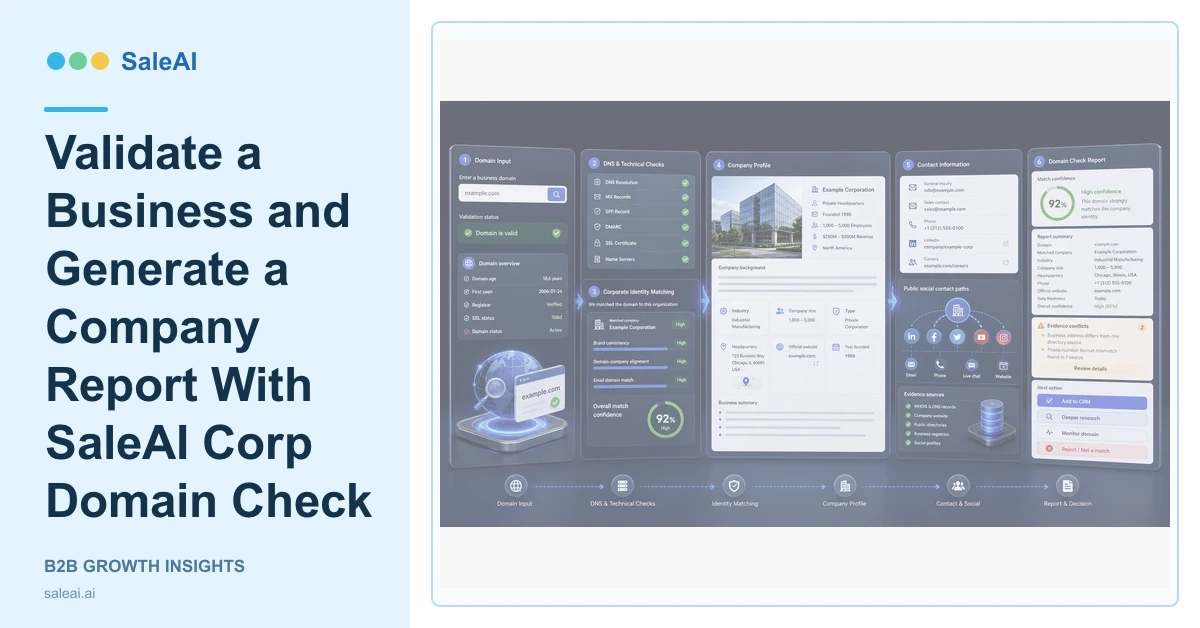
A business domain is one of the strongest identity clues in B2B research, but it can still point to a subsidiary, brand, inactive website, or unrelated company with a similar name. Corp Domain Check uses domains and keywords to retrieve company information, explore public contact paths, and generate reports. SaleAI Corp Domain Check turns domain review into a structured validation task.
The result should answer whether this is the correct business and whether it deserves the next research or sales action.
Start with the best available identifier
| Input | Use when | Main risk |
|---|---|---|
| Full domain | Official website is known | Domain may belong to a group or brand |
| Company name | Domain is uncertain | Similar names can be mixed |
| Product keyword | Discovering companies | Results need stronger qualification |
| Location | Several entities share a name | Address data may be outdated |
The official domain is preferable when available because it connects the company name, website, and public business context.
If the domain redirects, uses a country subdomain, or belongs to a parent group, record the relationship. The validation report should explain why the selected domain represents the account being researched.
Review the corporate background
The product page lists company profile, size, address, contact information, website, and industry. Compare these fields rather than trusting one. A company may use a trading name on its website and a different legal name in corporate records.
InsightScan Agent can add registration, trade, role, and website signals. TradeReport Agent can create a broader company brief.
Explore public contact paths
SaleAI Corp Domain Check can search public social contact information for relevant people, including professional and social platforms. The purpose is to find an appropriate business route, not collect unrelated personal information.
Enterprise Scope can support deeper company and stakeholder research. A public profile still needs relevance, current employment, and role review.
Generate a reviewable report
The AI-generated report should separate verified facts, conflicts, missing fields, interpretations, and the proposed account outcome. Keep the domain, source URLs, checked date, and entity-matching logic visible.
The report may approve the company for CRM, request deeper research, place it on monitoring, or reject it as the wrong entity.
Use a confidence label tied to visible evidence. "Verified" should mean the main company and domain fields agree, not merely that the website loads successfully.
Route the validated company
Data Assets can preserve validation evidence and duplicate decisions. SaleAI CRM should receive only approved companies with ownership and a next action.
The ICANN Lookup service provides domain-registration lookup context, while the NIST Privacy Framework supports responsible data handling.
FAQ
What does SaleAI Corp Domain Check retrieve?
The official page lists company name, domain, profile, size, address, contacts, website, industry, and public social paths.
Can it search by keyword?
Yes. The page describes keyword-based company search and flexible custom search capabilities.
Does a matching domain prove company fit?
No. The company role, industry, product relevance, location, and operating evidence still need review.
Can it generate a report?
Yes. The product page describes AI-generated analytical reports based on domain and company data.
Where should a validated company go?
It can move into Data Assets, CRM, deeper research, monitoring, or rejection with a recorded reason.
