


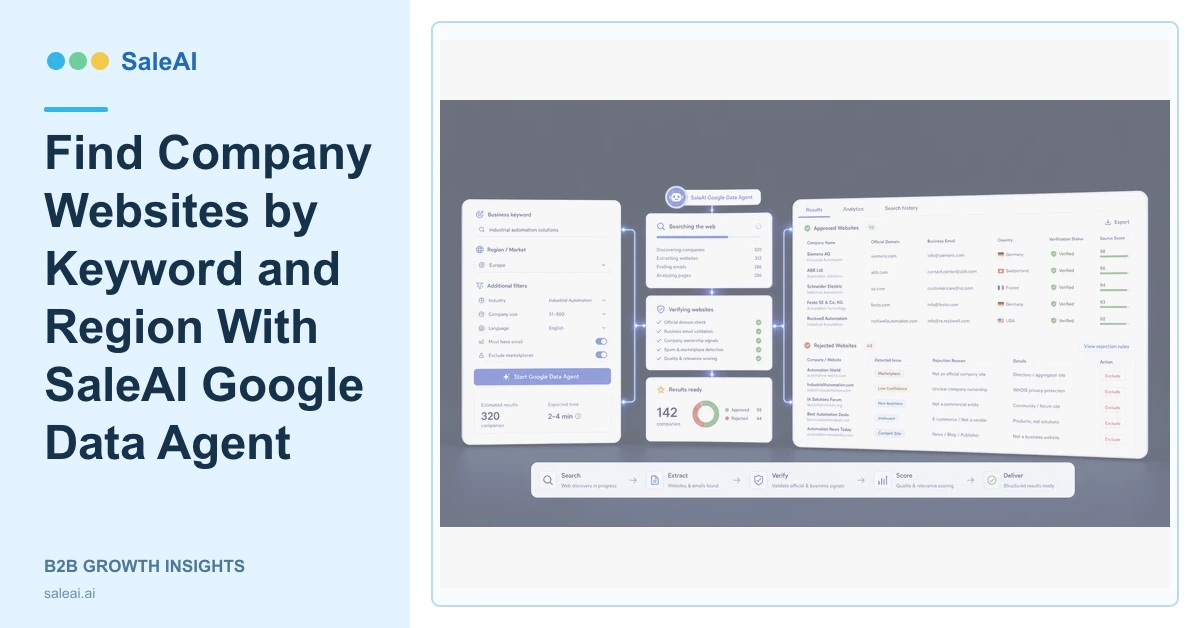
The Google Data Agent inside OutreachPlan Agent accepts a keyword and region, finds company websites and potential leads, and returns structured fields such as name, website, email, and country. SaleAI Google Data Agent turns web search into a reviewable company dataset.
The structured output is a starting point. Search visibility, keyword use, and a working email do not prove that the company is the right buyer.
Choose a keyword that describes the business
| Input type | Weak example | Stronger example |
|---|---|---|
| Product | Packaging | Refillable cosmetic packaging |
| Company role | Company | Distributor or contract manufacturer |
| Region | Europe | France and Belgium |
| Exclusion | None | Exclude consumer-only retailers |
| Output | Leads | Verified company websites for CRM review |
Specific inputs improve the company set and make rejection reasons easier to learn from.
When a category has several local names, prepare a small keyword set rather than forcing one translated term. Keep each query and result group traceable so reviewers can see which wording produced the company.
Understand the structured fields
The official page lists company name, website, email, and country. Review whether the name matches the site, whether the country reflects the relevant entity, and whether the email is a suitable business contact route.
Corp Domain Check can add company profile, address, size, industry, and contact context. InsightScan Agent can test registration, trade, buyer-role, and website signals.
Verify the website before qualification
Check the product range, applications, company role, location, about page, contact page, and recent operating evidence. A directory page or marketplace listing should not automatically become the official company website.
SaleAI Google Data Agent is particularly useful when the team needs the same structured fields across many companies. Human review remains important when websites use different languages, trade names, subsidiaries, or distributor relationships.
Move only reviewed companies forward
Data Assets can preserve the keyword, region, source URL, checked date, and review result. SaleAI CRM can receive approved accounts with ownership and a next action. LeadFinder Agent can support a natural-language buyer search when the initial company definition is broader than a keyword query.
Rejected results should keep a reason such as wrong company role, unrelated product, inactive site, duplicate, or unsuitable geography. Those reasons improve the next search.
Website language, address format, and contact-page structure vary by market. Reviewers should avoid rejecting a company only because its site does not follow the layout familiar to the sales team.
Use web data with clear controls
The NIST Privacy Framework helps teams manage privacy risk, while the LinkedIn Professional Community Policies illustrate the broader principle that public data still has usage and conduct rules.
Measure SaleAI Google Data Agent by verified official websites, relevant company roles, usable business contact paths, duplicates prevented, and qualified CRM records.
FAQ
What input does SaleAI Google Data Agent use?
It uses a keyword and region to find company websites and potential leads.
What fields can it return?
The official page lists company name, website, email, and country in structured results.
Is a website search result automatically qualified?
No. The company role, product fit, geography, official domain, and contact path still require review.
Where should approved results go?
They can move into Data Assets, CRM, deeper company research, or an approved outreach plan.
What should be measured?
Track verified official websites, relevant companies, usable contact routes, duplicates, and downstream qualification outcomes.
