


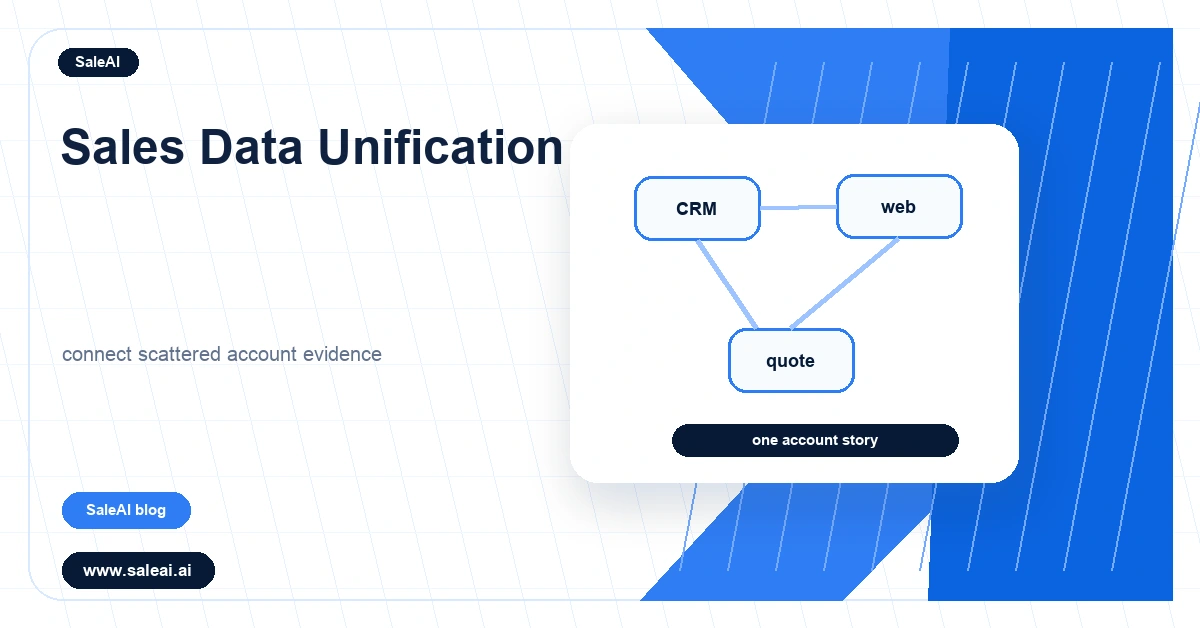
Sales data unification matters because most B2B teams already have useful data, but it lives in different places. CRM notes, quote history, website behavior, inquiry forms, distributor updates, and sales tasks may all describe the same buyer. If those pieces stay separate, reps still work from partial context.
The value of unification is not a larger database. The value is a record that helps someone decide what to do next.
Unification should answer sales questions
A unified record should help a rep understand account fit, recent movement, open questions, last meaningful action, owner, and next step. If it only collects fields without helping decisions, the team has improved storage rather than sales execution.
Sales data unification should therefore begin with the decisions the team needs to make, not with every possible data source.
Connect the sources that shape follow-up
A platform such as SaleAI can help connect buyer data, CRM context, website behavior, and sales tasks so sales data unification becomes useful during daily work.
The most useful sources are usually account identity, inquiry source, product interest, quote history, recent buyer activity, open tasks, and owner notes. These sources explain why a buyer should be contacted and what the message should address.
Clean identity before adding more signals
Duplicate companies, inconsistent domains, missing regions, and unclear ownership can make unified data unreliable. Before teams add more signals, they should make sure the account identity is clean enough for reps to trust.
A unified view that merges the wrong companies can cause more harm than separate tools. Identity quality is the foundation.
Use unification to improve prioritization
When data sources are connected, teams can see patterns that single tools hide. A quiet account may become important if it has an old quote, a returning page visit, and an open product question. A loud lead source may become less important if most accounts are poor fit.
This helps managers prioritize based on account evidence rather than whichever activity is most visible.
Make the record useful for handoffs
Handoffs fail when the next owner receives a contact but not the story. A unified record should show what happened, what the buyer asked, who owns the next step, and what risk needs attention.
This is especially important for export and distributor sales, where multiple people may touch the same account across time zones or regions.
Review data quality in real workflows
Data quality should be judged during account review and follow-up, not only in a dashboard. If reps still need to ask teammates for context, the unified record is not doing enough. If managers cannot explain priority, the data model needs work.
The best improvements are often small: clearer owner fields, better quote notes, visible latest signal, or a more useful next-action field.
What to unify first
| Data source | Sales question it answers | Risk if missing |
|---|---|---|
| CRM notes | What has already happened? | Repeated discovery |
| Website behavior | What topic is the buyer exploring? | Generic follow-up |
| Quote history | What commercial step is open? | Stalled opportunities |
Data quality checks
| Check | Why it matters | Practical standard |
|---|---|---|
| Account identity | Prevents wrong merges | Company, domain, region, owner |
| Latest signal | Supports timing | Visible date and source |
| Next action | Turns data into work | Owner and due date |
How to apply this in a sales workflow
Start with a narrow use case that has visible buyer context and a clear owner. For sales data unification, the first version should show the account, the reason for action, the current question, and the next step. Teams can expand after the pilot proves that reps are making better decisions, not only completing more CRM fields.
The review should stay close to real sales work. Ask whether the process helped someone write a better reply, route an account faster, recover a stalled conversation, or remove a weak-fit record. If the answer is unclear, simplify the workflow before adding more automation.
What good execution should look like
Good execution should make the account easier to understand for the next person who opens it. The buyer context should be visible, the owner should be clear, and the next action should be specific enough to review later.
Sales Data Unification should support cleaner handoffs, better prioritization, and more reliable follow-up. It should not become another disconnected checklist. Used carefully, it gives sales teams a more practical way to connect data, judgment, and follow-up.
Why unified data still fails sometimes
Sales data unification can fail when teams focus only on connecting systems. A dashboard may show CRM fields, page visits, quote values, and tasks in one place, yet the rep may still not know what to do next. The problem is not access to data. The problem is whether the data explains the account story.
A useful unified view should answer practical questions. Is this account a fit? What changed recently? Who owns the next action? What question remains open? What proof or product context matters? If the record does not answer those questions, reps will continue using private notes and memory.
Start with account identity and ownership
The first layer of sales data unification is identity. Company names, domains, regions, owners, and duplicate records must be clean enough for the team to trust. If one buyer appears as three accounts, signals will split across records and follow-up will become unreliable.
Ownership is just as important. A unified account view should show who currently owns the account, who last contacted the buyer, and whether a distributor or regional rep is involved. Without that clarity, connected data can create more confusion rather than less.
Turn unified data into review habits
Once the core account record is reliable, the team should use it in weekly account review. Managers can ask whether the latest signal, quote history, and open question support the next action. Reps can challenge fields that do not help them sell. This keeps the data model connected to real use.
SaleAI can support this habit by keeping buyer data, CRM notes, website behavior, and sales tasks closer together. But the team still needs to decide which information earns a place in the daily workflow. More fields are not automatically better.
Practical signs of progress
Good sales data unification shows up in ordinary work. Handoffs require fewer side messages. Reps write better first replies. Managers can explain why one account is more urgent than another. Old quotes and returning buyer activity become easier to connect.
If those things do not improve, the team should simplify. Remove fields nobody uses, repair duplicate records, and make the next action more visible. Unified data is valuable only when it changes sales behavior.
How to avoid creating another unused view
Sales data unification often creates a new dashboard that looks useful but does not change behavior. To avoid this, the team should decide which daily decisions the unified record must support. If the view helps reps prepare follow-up, managers prioritize accounts, and owners complete handoffs, it has a practical role. If it only shows more fields, adoption will fade.
The unified record should be tested in real account reviews. Ask a rep to explain an account using only the unified view. If they still need to search email threads, ask teammates, or open several systems, the view is not finished.
Small improvements that often matter most
Teams do not need to unify everything at once. A visible latest signal, a clean owner field, a quote-history note, and a clear next action can improve sales work more than a large data project. These small fields make the account easier to understand when time is limited.
SaleAI is most useful when it helps these practical details stay connected. Sales data unification should make the account record feel alive and useful, not heavier.
Final review before scaling
Before expanding sales data unification, the team should test one practical account review. Choose several active accounts and ask whether the unified record explains source, owner, latest signal, open question, and next action. If the answer is yes, the view is helping sales. If the answer is no, the next improvement should be smaller and more concrete.
FAQ
What is sales data unification?
Sales data unification is connecting sales-related information from different systems into a usable account view.
Why does sales data unification matter?
It helps reps and managers understand the buyer story without searching across disconnected tools.
Which data should be unified first?
Start with account identity, CRM notes, inquiry source, product interest, quote history, owner, and next action.
How can SaleAI help?
SaleAI can connect buyer data, CRM context, website behavior, and sales tasks into a more usable sales workflow.
Is unification the same as data migration?
No. Migration moves data. Unification connects data so people can use it for decisions.
What is the main risk?
The main risk is joining poor-quality or duplicate data and creating a record that reps do not trust.
How should managers review unified data?
They should check whether the record explains priority, owner, buyer question, and next action.
What is a good outcome?
A good outcome is faster account understanding, cleaner handoffs, and more relevant follow-up.
