


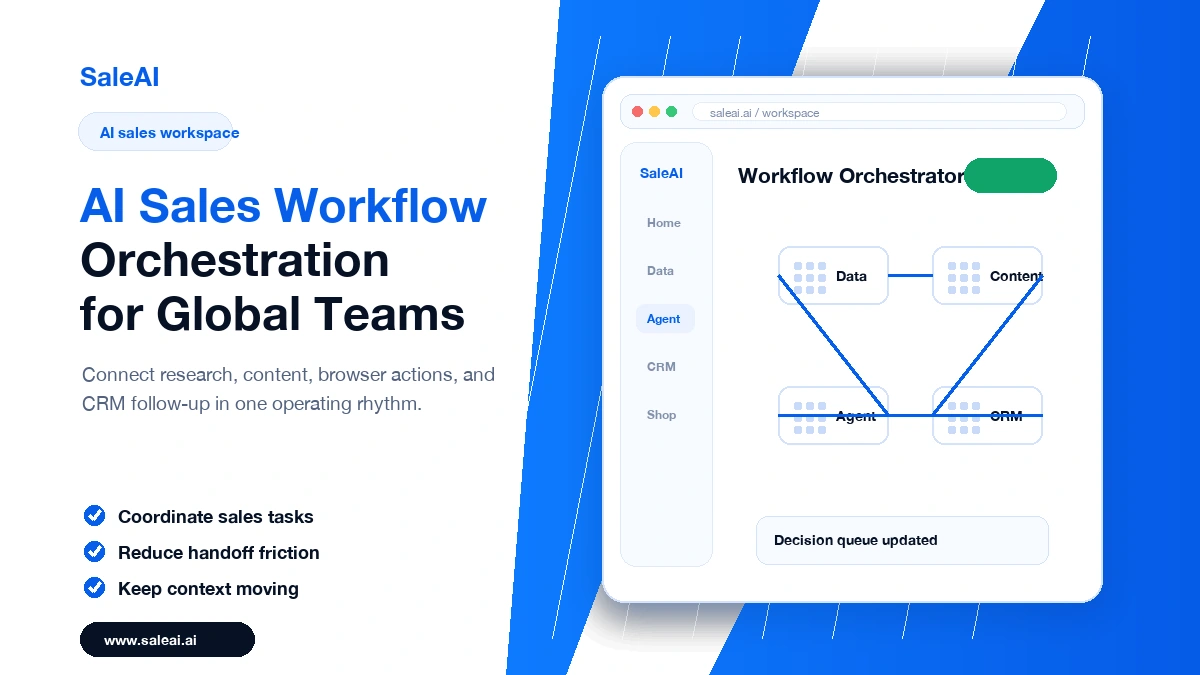
AI sales workflow orchestration becomes valuable when a sales team stops treating every task as a separate island. In global B2B sales, a rep may begin with company research, move into product positioning, check a buyer website, prepare an email, update CRM notes, and schedule the next follow-up. Each step is ordinary. The trouble starts when the context disappears between steps.
That is why many export and B2B sales teams are not simply asking for faster email writing. They are asking for a workflow that remembers why an account was selected, what the buyer seemed to care about, and what should happen next. SaleAI is positioned around that connected way of working: Data, Agent, Shop, and CRM are not separate ideas, but parts of a practical sales loop.
The real problem is not speed
Most teams already move quickly. They open tabs quickly, copy information quickly, and send messages quickly. But fast work can still produce weak follow-up if the account reason is not recorded. A buyer signal found during research may never reach the email. A quote may be sent without a clear reminder. A CRM record may say “interested” without explaining what created the interest.
AI sales workflow orchestration solves a different problem from simple automation. It gives the team a memory layer. The system should help preserve the reason for action, not just perform the action.
A better way to map the sales loop
A practical sales loop has four parts. First, identify the account. Second, prepare the message or product content. Third, execute the required browser or communication task. Fourth, record the result and plan the next step.
SaleAI Data can support the first part by helping teams work from company intelligence and market signals. SaleAI Agent can support browser-based execution, such as collecting page information or handling repetitive web actions. SaleAI CRM keeps the follow-up visible after the action is complete.
Where human judgment still belongs
A connected workflow should not remove the salesperson from important decisions. A rep still decides whether the account is worth contacting, whether the message is accurate, and whether the timing feels right. AI should reduce repeated coordination work so people can spend more attention on those decisions.
- Use AI to summarize account context, but let the rep choose the outreach angle.
- Use an agent to prepare browser actions, but keep review points for sensitive steps.
- Use CRM prompts to protect follow-up, but let the team decide the next commercial move.
What a good workflow feels like
A good workflow feels calmer. The rep can see why the buyer was chosen. The email draft reflects the account context. The CRM task is not an afterthought. The manager can review the campaign and understand which signals created real conversations.
That is the practical promise of AI sales workflow orchestration. It is not about replacing salespeople with software. It is about making the sales process easier to trust, easier to repeat, and easier to improve after every campaign.
What this looks like in a real sales week
Imagine a team preparing a campaign for industrial buyers in two regions. On Monday, the manager defines the target account rules. On Tuesday, the data work surfaces companies that match the product category and show fresh activity. On Wednesday, the team prepares message angles and product explanations. On Thursday, browser tasks are handled and checked. On Friday, the CRM shows which accounts replied, which ones need follow-up, and which signals were misleading.
That weekly rhythm is where AI sales workflow orchestration becomes more than a software feature. It becomes a way to keep work from scattering. The same signal that starts the campaign should still be visible when the team reviews the result. If the system cannot show why an account was chosen, it is difficult to improve the next campaign.
Mistakes to avoid when building the workflow
The first mistake is automating too early. If the team has not agreed on lead criteria, message rules, and review points, automation only scales confusion. The second mistake is treating the CRM as a storage box instead of a learning system. Notes should explain the buyer context, not only record that an email was sent. The third mistake is measuring activity without checking quality. More tasks completed does not always mean better sales work.
A useful workflow starts narrow. Pick one use case, such as RFQ follow-up or qualified account outreach. Define what information should move from research to message to CRM. Then let the team review whether the process actually improves conversations. This is a slower start, but it creates a stronger foundation.
