


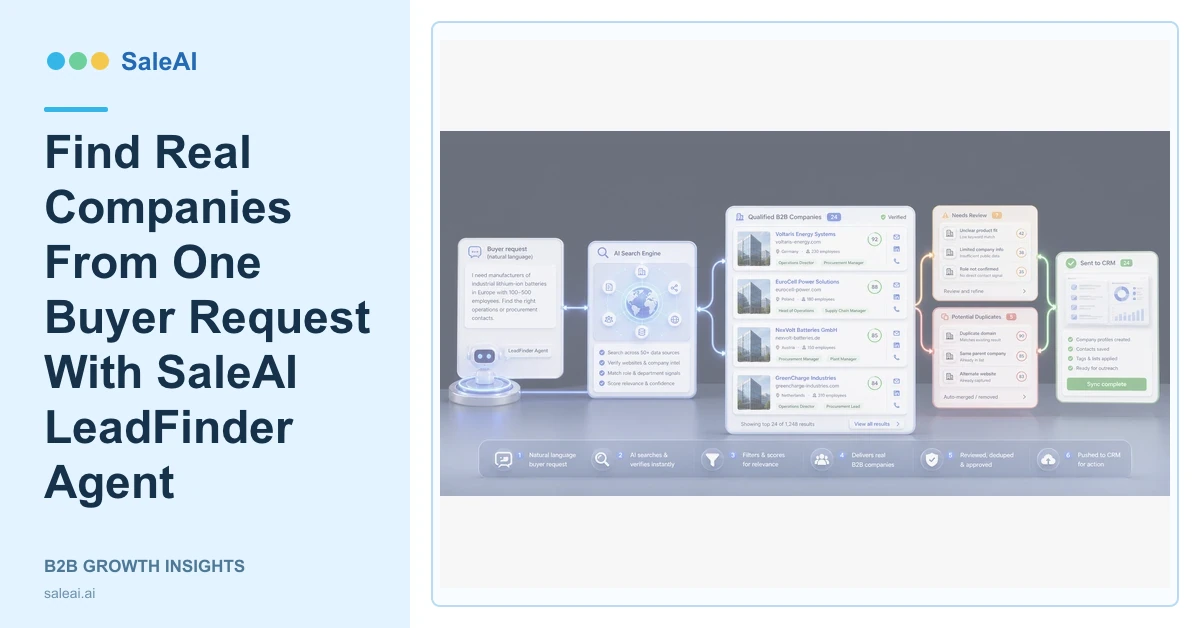
The LeadFinder Agent page describes a simple operating model: say which buyers you want and receive real companies with contact details. SaleAI LeadFinder Agent removes the need to begin every buyer search with a spreadsheet, but the quality of the result still depends on the buyer request and the review that follows.
"Glass importers in Mexico" is the example shown on the product page. A stronger production request can also specify the application, company role, country, exclusions, and expected output.
Describe the buyer in business terms
| Request element | Example | Why it matters |
|---|---|---|
| Product | Laboratory glassware | Narrows commercial relevance |
| Company role | Importer or distributor | Separates buyers from unrelated firms |
| Market | Mexico | Defines geography and language context |
| Exclusion | Consumer gift retailers | Reduces false positives |
| Output | Reviewed companies for CRM | Makes completion testable |
A buyer request should describe the organization, not only the product keyword. A company can mention glass without importing, distributing, or purchasing the relevant category.
What LeadFinder returns
The official page says the Agent returns real companies that users can contact, with full details. The exact fields available can vary by record, so reviewers should confirm company name, website, business role, country, product relevance, and available contact path.
Corp Domain Check can help validate a website and company background. Enterprise Scope can add company and professional context. InsightScan Agent can surface registration, trade, buyer-role, and website signals.
Review before treating a result as a lead
SaleAI LeadFinder Agent reduces search work; it does not make every returned company qualified. Check whether the company sells or buys the relevant category, whether it operates in the target market, and whether the contact route belongs to the business.
Duplicate companies should connect to an existing record. Unclear identities should remain in research. Companies with a verified role and a responsible sales reason can move forward.
Move approved companies into SaleAI
SaleAI CRM should receive ownership, source, history, and the next action. Data Assets can preserve the search request, evidence, rejection reasons, and refresh needs. An OutreachPlan Agent workflow can research the approved account across relevant public platforms.
This handoff prevents a buyer search from becoming a disconnected download. The next user should know why the company was selected and what question outreach should answer.
Measure search quality
Track reviewed companies, verified business roles, duplicates, missing websites, approved contacts, companies moved into CRM, and rejection reasons. A smaller list with clear fit can be more useful than a large result set.
The NIST Privacy Framework provides a structure for managing privacy risk. The LinkedIn Professional Community Policies are also a useful reminder that public professional data still has platform and conduct rules.
FAQ
What input does SaleAI LeadFinder Agent need?
It needs a natural-language description of the buyer, product, market, company role, and any important exclusions.
Does LeadFinder return real companies?
The official product page says it returns real companies with details that can support contact and review.
Is every returned company qualified?
No. Company identity, role, product fit, website, duplicates, and contact path still require review.
Where should approved companies go?
They can move into CRM, Data Assets, deeper research, or an approved outreach workflow.
What is the main success metric?
Measure the percentage of returned companies that become verified, relevant, owned business records with a clear next action.
