


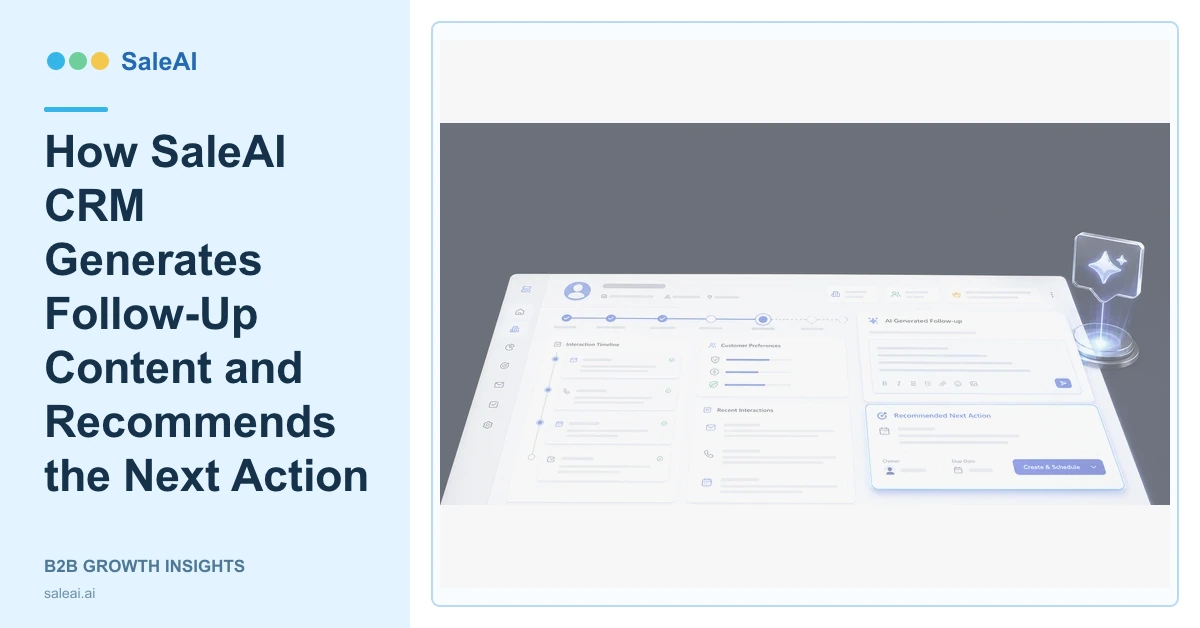
The SaleAI CRM product page describes a CRM that does more than store customer data. It can organize customer information, generate follow-up content, identify customer stage, recommend next steps, and execute tasks through Agents. SaleAI CRM follow-up begins with the record already visible in the system.
That record matters because a useful reply depends on the company, contact, interaction history, preferences, current stage, and open decision. A draft that ignores those details may be grammatically correct but commercially wrong.
What the CRM should know before generating a message
The minimum context is the customer identity, previous interaction, current opportunity stage, last buyer action, responsible owner, and intended next decision. Product interest and preferences help narrow the content. Notes should distinguish buyer statements from seller assumptions.
| CRM context | How it changes the draft | Review question |
|---|---|---|
| Previous inquiry | Continues from the actual question | Did the draft answer it? |
| Customer stage | Sets the pressure and next action | Is the stage current? |
| Product preference | Selects relevant information | Is the claim approved? |
| Interaction history | Avoids repeated questions | Is earlier context accurate? |
| Account owner | Preserves responsibility | Who approves and sends? |
How SaleAI CRM follow-up content is different
Generic email generators start from a prompt. SaleAI CRM follow-up can start from organized customer information and interaction history. That allows the message to refer to the actual topic, avoid repeating an answered question, and propose a next action appropriate to the current stage.
For example, an early company inquiry may need a short qualification question. A buyer who reviewed specifications may need a focused technical clarification. An existing customer may need continuity from the previous order or support case. These are different tasks even if the subject line says "follow-up."
The draft should remain editable. Salespeople are responsible for technical claims, prices, delivery dates, contracts, and relationship judgment. The system can reduce blank-page work without turning an unverified record into a customer commitment.
How the recommended next action should be reviewed
The product page also states that SaleAI CRM analyzes successful deal patterns to suggest effective actions. A recommendation is useful when the underlying stage and history are correct. It becomes unreliable when the account was not updated after the buyer changed direction.
A good recommended action contains an owner, reason, due date, required evidence, and expected customer outcome. "Follow up next week" is not enough. "Send the approved application comparison after the technical owner confirms compatibility, then ask whether the buyer wants a test call" is reviewable.
The next action can connect with Email Smart Reach, Data Assets, Enterprise Scope, or a SaleAI Agent workflow. The connection should solve a missing step, not create more activity.
A controlled SaleAI CRM follow-up routine
- Open the customer and company record.
- Confirm the last buyer action and current customer stage.
- Generate a draft using the visible interaction history.
- Check factual claims, tone, timing, and requested next step.
- Review the suggested action and assign the correct owner.
- Save the sent message and customer outcome back to the record.
The U.S. CAN-SPAM requirements explain important rules for commercial email. RFC 8058 describes one-click unsubscribe signaling used by email systems. CRM context improves relevance, but communication rules and sender quality still apply.
What to measure
Track time to a useful response, drafts that required factual correction, next actions completed on time, customer replies, and records returned with a clear outcome. Sending volume alone does not show whether the follow-up helped the customer move forward.
FAQ
What does SaleAI CRM follow-up use as context?
It can use organized customer information, interaction history, preferences, current stage, and the open sales task.
Does SaleAI CRM send every generated draft automatically?
Teams should define approval rules. Messages involving claims, prices, delivery, contracts, or sensitive account context need review.
How does SaleAI recommend the next action?
The product page says the CRM analyzes successful deal patterns and customer context to suggest an effective next step.
What makes a next action useful?
It should identify the owner, timing, reason, required evidence, and expected customer outcome.
Should replies return to the CRM record?
Yes. Recording the outcome improves continuity and gives future SaleAI CRM follow-up drafts better context.
