


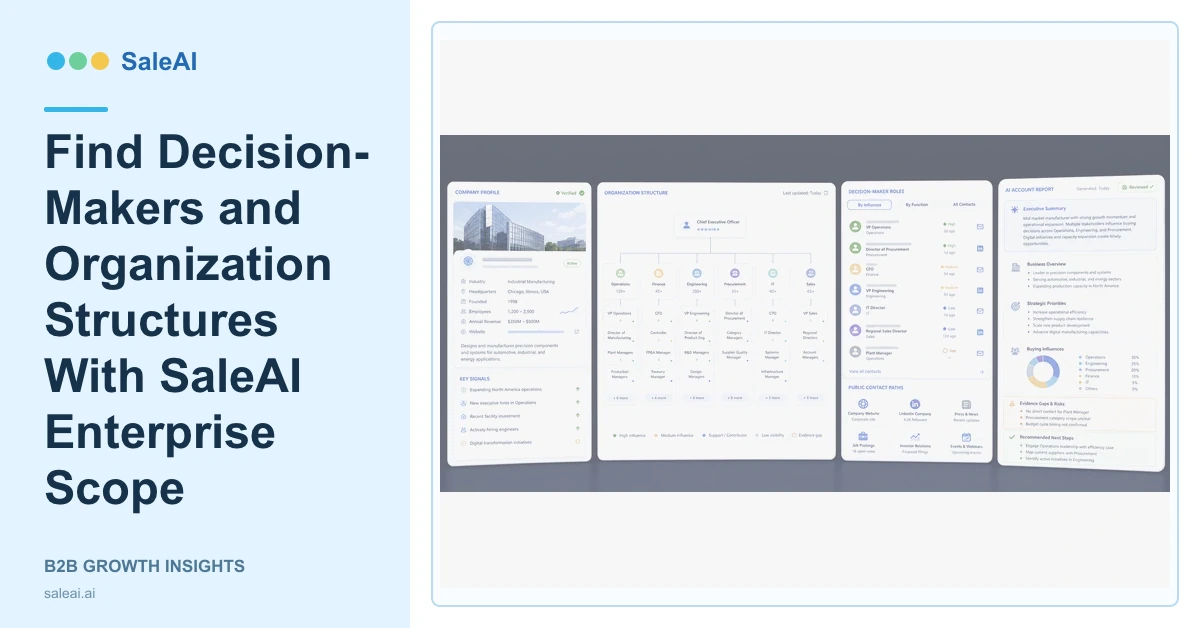
The Enterprise Scope product page describes decision-maker research using a large professional and business-data foundation. SaleAI Enterprise Scope can search companies and people, support background checks, provide multi-dimensional contact information and organizational structures, monitor business context, and generate analytical reports.
The product is most useful when the user starts from an account hypothesis. Searching a senior title across an entire market can return many people who have authority but no relationship to the product or decision.
Begin with the company and business reason
Confirm the company domain, geography, industry, product range, business role, and reason it fits the target profile. This prevents a professional profile from becoming a lead simply because the title contains procurement, sales, or operations.
| Research layer | Question | Output |
|---|---|---|
| Company search | Is this the right organization? | Verified company record |
| Person search | Which functions may influence the decision? | Role hypotheses |
| Employee view | How is the relevant team structured? | Stakeholder map |
| Domain research | What does the company actually do? | Business-fit evidence |
| Deep detail | What public context supports outreach? | Account brief and gaps |
Find decision-makers without relying on one title
Buying decisions often involve several functions. A technical evaluator, user, procurement contact, budget owner, and executive sponsor may all matter. SaleAI Enterprise Scope can help identify possible stakeholders and organizational context, but the user should treat the map as a research hypothesis until conversations confirm it.
The product page names access to professional profiles, company information, multi-platform public profiles, contact paths, and organization structures. The SaleAI pricing page also distinguishes company searches, person searches, and deeper company or personal detail actions in its usage limits.
Run a company background check
A background check should answer whether the organization matches the target market, what it offers, where it operates, how it is structured, and which public evidence supports the conclusion. It should avoid irrelevant personal information.
Data Assets can preserve the source and fit reason. Automated Business Data can add company, domain, trade, and report context. Customs Data may support transaction-based research where relevant.
Generate an account report and synchronize reviewed records
The AI-generated report can summarize company fit, likely stakeholders, public contact routes, organizational evidence, recent context, and open research questions. It should not present a guessed stakeholder as a confirmed decision-maker.
Reviewed companies and people can move into SaleAI CRM, where ownership, history, stage, and next action are managed. Synchronization should check duplicates and existing account ownership before creating new records.
The LinkedIn Sales Solutions resources discuss professional research and relationship context. The NIST privacy framework offers a useful reference for managing privacy risk. Public availability does not remove the need for relevance, access control, and responsible use.
Keep professional research relevant
Collect the business facts needed to qualify the account and plan a responsible conversation. Avoid unrelated personal detail, and refresh professional records when roles or companies may have changed.
FAQ
What can SaleAI Enterprise Scope search?
It supports company and professional research, including people, companies, employee context, domains, and deeper details.
Does a job title confirm the decision-maker?
No. Titles support a hypothesis, but company context and direct qualification are needed to confirm decision roles.
Can Enterprise Scope show organization structures?
The product page describes organizational structures and multi-dimensional contact information for reaching relevant people.
Can it generate a report?
Yes. The page describes AI-generated reports based on client and market data.
How should records move into CRM?
Verify company identity, role relevance, public source, duplicate status, account ownership, and the reason for outreach before synchronization.
