


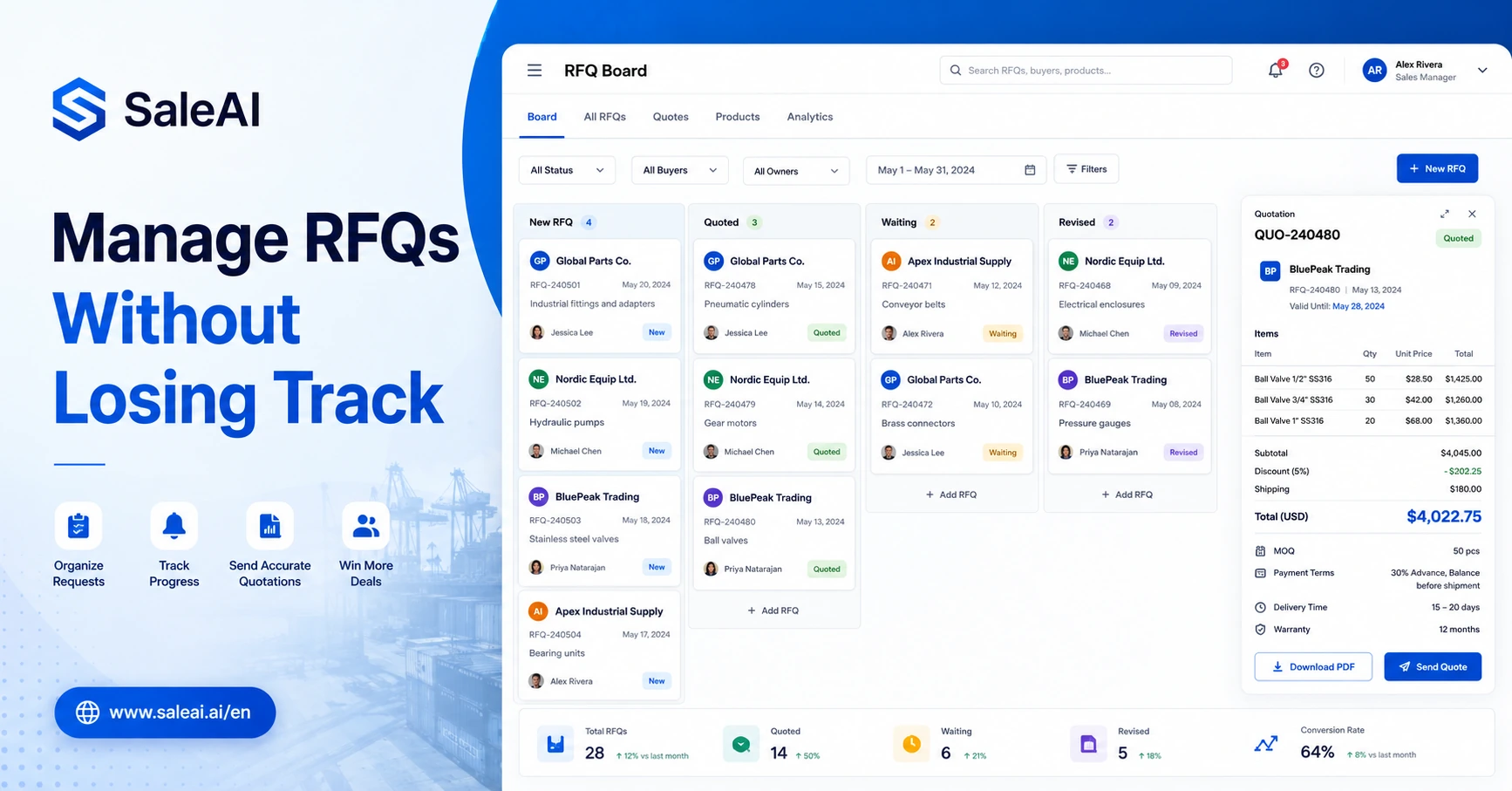
One RFQ is easy.
A buyer asks for price.
You check the product.
You confirm MOQ.
You send a quote.
The problem starts when there are ten RFQs open at the same time.
One buyer asks for updated shipping terms.
Another wants a revised quantity.
A third buyer asks whether the product can be customized.
Someone from last week comes back asking if the old quote is still valid.
A colleague sends a newer price, but the older file is still sitting in someone’s email thread.
This is usually when export teams realize the problem is not quoting itself.
The problem is managing RFQs after they arrive.
That is where an RFQ management system becomes useful.
Not because every export team needs complicated software. But because RFQs involve more moving parts than most teams expect.
Why RFQs Become Messy So Quickly
An RFQ is not just a request for price.
It may include product specifications, quantity, destination country, packaging requests, certification questions, payment terms, delivery expectations, and follow-up timing.
At the beginning, a spreadsheet looks enough.
But spreadsheets usually track only part of the process:
| What the Spreadsheet Tracks | What Often Happens Outside It |
|---|---|
| Buyer name | Email thread with extra details |
| Product name | Updated specification file |
| Quantity | WhatsApp message with new quantity |
| Price | Revised quote from manager |
| Status | Follow-up reminder in someone’s memory |
| Notes | Buyer questions scattered across channels |
That is why RFQs start to feel hard to control.
The team is not missing effort.
The team is missing one place to organize the request, the quote, the conversation, and the next action.
What an RFQ Management System Should Actually Manage
An RFQ management system should not only store RFQs.
It should help the team move each request forward.
For export sales, a useful RFQ workflow usually needs to manage:
| RFQ Area | What Needs to Be Managed |
|---|---|
| Buyer information | Company name, country, contact person, source |
| Product request | Model, quantity, customization, certification, packaging |
| Commercial terms | Price, MOQ, payment, lead time, validity, trade terms |
| Quote version | Original quote, revised quote, final quote |
| Communication | Email, WhatsApp, follow-up notes, buyer questions |
| Responsibility | Who owns this RFQ and who needs to reply |
| Status | New, quoted, waiting, revised, won, lost, paused |
| Next step | Follow-up date, quote update, sample discussion, meeting |
If these details are scattered, salespeople spend too much time looking backward before they can move forward.
The Hidden Cost of Manual RFQ Tracking
Manual tracking does not always look expensive.
It feels normal:
- Copy buyer information into Excel
- Save quotation files in folders
- Search old emails for details
- Ask a colleague for the latest price
- Rename PDFs manually
- Set a reminder in a calendar
- Send follow-up from memory
But the cost appears when volume increases.
A buyer may receive a late reply.
A wrong quote version may be sent.
A follow-up may be missed.
A salesperson may waste time checking details that already existed somewhere else.
A manager may not know which RFQs are close to decision.
The team is working, but the workflow is leaking.
A Simple RFQ Workflow Export Teams Can Use
An RFQ does not need to become complicated.
But it does need a clear path.
A practical RFQ workflow can look like this:
Step 1: Capture the RFQ clearly
The first step is to record the request in a structured way.
Important fields include:
- Buyer company
- Contact person
- Country
- Product requested
- Quantity
- Required specifications
- Target delivery time
- Special conditions
- Source of inquiry
- Deadline for reply
This prevents the team from relying only on the original email.
Step 2: Check whether the RFQ is worth quoting
Not every RFQ deserves the same level of effort.
Before preparing a full quote, the team should check:
| Question | Why It Matters |
|---|---|
| Is the product request clear? | Unclear requests may need clarification first |
| Does the quantity match our MOQ? | Small requests may need different handling |
| Is the buyer in a market we can serve? | Logistics and compliance may affect feasibility |
| Does the buyer look serious? | Some RFQs are just price shopping |
| Can we supply within the expected time? | Unrealistic delivery expectations create risk |
This does not mean ignoring small buyers. It means choosing the right response level.
Some RFQs need a full branded quotation.
Some need a clarification email first.
Some only need a quick price range.
Some should be saved but not prioritized.
Step 3: Prepare the quote with the right format
Different RFQs need different quote formats.
A repeat buyer may want a simple price table.
A new buyer may need a more professional quotation with company details, payment terms, and product notes.
A WhatsApp inquiry may need a lighter quote that opens easily on mobile.
The quote should match the buyer’s situation, not just the supplier’s template.
Step 4: Record the version
This is where many teams make mistakes.
A buyer asks for 500 units first.
Then asks for 1,000 units.
Then asks for custom packaging.
Then asks whether the price changes for FOB instead of EXW.
If the team does not record versions, it becomes difficult to know which quote is current.
A basic version record should include:
| Version | Change | Date | Owner |
|---|---|---|---|
| V1 | Initial quote for 500 units | May 8 | Sales Rep |
| V2 | Updated quantity to 1,000 units | May 10 | Sales Rep |
| V3 | Added custom packaging | May 12 | Sales Manager |
| V4 | Changed trade term to FOB | May 14 | Sales Rep |
This prevents confusion later.
Step 5: Follow up based on quote status
Sending the quote is not the end.
The team needs to know what happens next.
Possible statuses:
| Status | Meaning | Next Action |
|---|---|---|
| New RFQ | Request received but not replied | Review details |
| Clarification needed | Missing product or quantity details | Ask buyer for more information |
| Quoted | Quote sent | Schedule follow-up |
| Revised quote sent | Buyer requested changes | Confirm whether the new quote works |
| Waiting for buyer | Buyer has not replied | Send follow-up |
| Negotiation | Buyer discusses price or terms | Prepare response |
| Won | Buyer confirms order | Move to order process |
| Lost | Buyer rejected or stopped | Record reason |
| Dormant | No reply after several follow-ups | Pause but keep record |
This kind of status tracking is simple, but it keeps RFQs from disappearing.
Where SaleAI Fits Into RFQ Management
SaleAI is useful because RFQs are not isolated from the rest of export sales.
A buyer usually goes through several steps:
- The buyer is found or comes from an inquiry.
- The company needs to be checked.
- The RFQ details need to be understood.
- A quote needs to be generated.
- The quote needs to be sent.
- The buyer may ask questions.
- Follow-up needs to happen.
- The record should stay in CRM.
SaleAI connects these steps through its Agent, Data, Email, Quote, and CRM workflow.
For example:
- Lead Finder Agent helps find potential buyers.
- Company Insight Agent helps judge whether the buyer looks relevant.
- Quote Generator Agent helps prepare a clean quotation.
- Email Writer Agent helps write the quote email or follow-up message.
- CRM helps track quote status, buyer notes, and next actions.
This is different from simply creating a quote file.
The value is in keeping the RFQ connected to the sales process.
RFQ Management Is Not Only for Big Teams
Some small teams think RFQ management is only needed when there are many salespeople.
That is not always true.
Even a two-person export team can lose track if:
- RFQs come from multiple channels
- Buyers ask many product questions
- Prices change often
- The team sells many SKUs
- Follow-up depends on memory
- Quote files are saved in personal folders
A small team may not need a complex system. But it still needs a clear process.
The earlier the structure is built, the easier it is to scale.
Common RFQ Problems and Better Fixes
| Problem | Usual Reaction | Better Fix |
|---|---|---|
| Buyer gives incomplete details | Send a rough quote anyway | Ask structured clarification questions first |
| Too many quote versions | Rename files manually | Track versions by date, change, and owner |
| Follow-up gets missed | Depend on memory | Use status and next-action tracking |
| Buyer compares suppliers | Lower price too quickly | Explain value, delivery, service, and terms |
| Old prices are reused | Copy from previous quote | Review price, validity, and quantity before sending |
| Quote looks inconsistent | Let each salesperson format it | Use controlled quote templates |
| RFQs stay in inboxes | Search email threads later | Move RFQ details into CRM or structured workflow |
This is where the work becomes more manageable.
Not perfect.
But visible.
And visibility matters in sales.
What Should Be Included in an RFQ Record?
An RFQ record should give anyone on the team enough context to understand the request.
A useful RFQ record includes:
| Field | Example |
|---|---|
| Buyer company | ABC Distribution Ltd. |
| Country | Mexico |
| Contact | Purchasing Manager |
| Product | Automatic packaging machine |
| Quantity | 2 units |
| Requirements | Food-grade packaging, Spanish manual |
| Trade term | FOB Shenzhen |
| Payment term | 30% deposit, 70% before shipment |
| Quote validity | 15 days |
| Status | Revised quote sent |
| Next action | Follow up in 3 days |
| Owner | Sales Rep A |
| Notes | Buyer asked about spare parts |
This record is not just for reporting. It helps the salesperson respond faster and more accurately.
How to Prioritize RFQs
Not every RFQ should receive the same attention.
A practical priority model can help.
| Priority | RFQ Condition | Suggested Response |
|---|---|---|
| High | Clear product fit, realistic quantity, active buyer | Prepare detailed quote quickly |
| Medium | Good fit but missing some details | Ask clarification and prepare partial quote |
| Low | Weak fit or very unclear request | Send light response or qualification questions |
| Watch | Potential future buyer but no urgent need | Save and follow up later |
| Reject | Product mismatch or unrealistic request | Politely decline or redirect |
This helps the team protect time.
A rushed quote for the wrong buyer can be more costly than a slower quote for the right one.
How RFQ Management Improves Follow-Up
Many quote opportunities are lost after the first quote is sent.
Not because the buyer said no.
Because no one followed up properly.
A structured RFQ workflow can trigger better follow-up questions:
- Did the buyer open or acknowledge the quote?
- Did they ask about price, delivery, or MOQ?
- Are they comparing suppliers?
- Should we send a revised quote?
- Should we offer a sample?
- Should we follow up by email or WhatsApp?
- Has the quote expired?
A good follow-up is not simply:
Just checking if you received my quote.
A better follow-up is:
I wanted to check whether the MOQ and delivery time in the quotation work for your current order plan. If the first order quantity is still uncertain, I can also prepare a smaller trial-order option for comparison.
The second message is more useful because it continues the buying conversation.
What Not to Over-Automate
RFQ management should create structure, not remove judgment.
Export teams should still review:
| Area | Why Review Is Needed |
|---|---|
| Final price | Pricing may change by quantity, market, and timing |
| Delivery time | Production load and logistics can shift |
| Trade terms | FOB, CIF, EXW, and DDP carry different responsibilities |
| Certification | Incorrect claims can damage trust |
| Customization | OEM/ODM details may affect cost and schedule |
| Buyer seriousness | Some RFQs are only price checks |
| Discount decisions | Price negotiation needs commercial judgment |
Automation should make the process easier to control.
It should not make the team careless.
Signs Your Team Needs Better RFQ Management
Your team may need a more structured RFQ management system if:
- You often search old emails to confirm quote details.
- Different salespeople send different quote formats.
- Buyers ask for revised quotes and versions become confusing.
- Follow-ups are missed after quotes are sent.
- Managers cannot see which RFQs are active.
- Quote files are saved in personal folders.
- Buyers ask the same questions because earlier information was incomplete.
- Sales reps spend too much time copying old quote files.
If three or more of these are happening, the issue is probably not individual discipline.
It is workflow structure.
FAQ
What is an RFQ management system?
An RFQ management system helps sales teams organize request-for-quotation details, buyer information, quote versions, communication notes, follow-up status, and next actions in one structured workflow.
Why do exporters need an RFQ management system?
Exporters need an RFQ management system when quote requests, product details, price versions, and buyer conversations become difficult to track through spreadsheets, email threads, and personal notes.
Is RFQ management only for large export teams?
No. Small export teams can also benefit from RFQ structure, especially if they receive inquiries from multiple channels, handle many products, or need to follow up with buyers after sending quotes.
What should exporters track in an RFQ workflow?
Exporters should track buyer company, country, product request, quantity, specifications, price, trade terms, quote version, owner, status, follow-up date, and buyer notes.
Can SaleAI help with RFQ management?
SaleAI can support RFQ management by connecting buyer search, company checks, quotation generation, email writing, and CRM follow-up into a more structured export sales workflow.
How can teams avoid sending the wrong quote version?
Teams can avoid wrong quote versions by recording each version with date, change reason, owner, and current status before sending revised quotations to buyers.
Final Takeaway
RFQs do not become difficult because one buyer asks for a price.
They become difficult because every request creates details, versions, files, questions, and follow-ups.
A spreadsheet can help at the beginning. But once RFQs start moving across emails, WhatsApp, quote files, and CRM notes, the team needs a clearer system.
A good RFQ management system helps export teams see:
- What the buyer requested
- Which quote was sent
- What changed
- Who owns the next step
- When follow-up should happen
SaleAI helps bring these steps closer together, so RFQs do not stay as scattered files. They become part of a connected sales workflow from buyer check to quote, email, follow-up, and CRM.
