


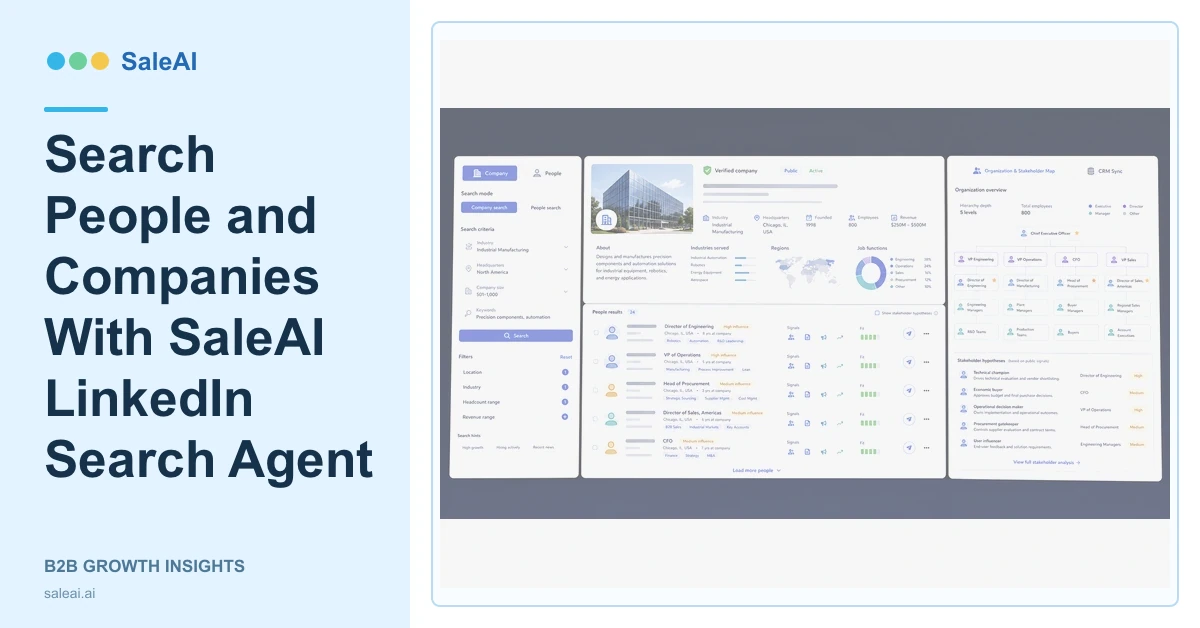
The LinkedIn Search Agent inside OutreachPlan Agent supports two search types: people and companies. SaleAI LinkedIn Search Agent can capture public profiles and return context such as titles, industries, company summaries, and regions for lead generation and research.
Choosing the correct search type is the first decision. Company search answers which organizations may fit. People search answers which professional roles may matter inside a reviewed organization.
Choose people search or company search
| Research question | Search type | Expected output |
|---|---|---|
| Which distributors fit this market? | Company | Company profiles and summaries |
| Who leads sourcing in this account? | People | Role hypotheses and profile context |
| Which firms operate in this industry? | Company | Industry and regional account set |
| Which functions influence the decision? | People | Stakeholder map for review |
Mixing these questions in one broad search creates noisy results.
For account-based research, begin with the verified company and then search the functions relevant to the product. For market research, begin with industry and region, then validate companies before collecting additional people.
Use company results to confirm account fit
Review the company summary, industry, region, size context, and relationship to the target category. Corp Domain Check can verify the website and company details. InsightScan Agent can add registration, trade, buyer-role, and website signals.
A company page should support the account hypothesis, not replace website or operating evidence.
Use people results to build role hypotheses
Titles and public profiles can help identify likely functions, but a senior title does not confirm budget authority or project ownership. SaleAI LinkedIn Search Agent should support a stakeholder hypothesis that later conversations confirm.
Enterprise Scope can provide deeper professional and organization context. Keep the business reason for collecting each profile visible.
Connect profiles to one company record
Several people may belong to one account, and one person may have changed companies. SaleAI CRM should connect reviewed stakeholders to the correct company, ownership, interaction history, and next action. Data Assets can preserve source and checked date.
Avoid creating separate disconnected leads for every profile. The company is the commercial account; people are stakeholders with different roles and evidence.
Record the checked date because professional roles change. When a person has moved, preserve useful account history without sending new outreach based on an outdated employer relationship.
Apply responsible research rules
The LinkedIn Sales Solutions resources discuss professional selling context, while the LinkedIn Professional Community Policies set conduct expectations. Public profile information should be used for relevant business research, not unrelated personal profiling.
Measure SaleAI LinkedIn Search Agent by verified companies, relevant functions, duplicate profiles prevented, stakeholder hypotheses confirmed, and useful CRM context.
FAQ
What search types does SaleAI LinkedIn Search Agent support?
The official OutreachPlan page describes people and company searches.
What information can the Agent capture?
It can capture public titles, industries, company summaries, regions, and related profile context.
Does a job title confirm decision authority?
No. Titles support a hypothesis that company research and conversations need to confirm.
How should people records connect to CRM?
Link reviewed stakeholders to one verified company account with ownership and a relevant next action.
What should teams measure?
Measure verified account context, useful stakeholder hypotheses, duplicates prevented, and downstream qualification outcomes.
